Introduction
Creating your own computer software may sound like a job only professional programmers can do, but that is not true. With the right idea, basic programming knowledge, and suitable tools, beginners can build useful programs for personal or business needs. You could create a calculator, task manager, file organizer, inventory tool, or another application that solves a specific problem.
Learning how to make your own computer software is not just about writing code. A successful program requires planning, design, testing, and regular improvements. You need to understand what your software should do, choose the right development tools, and build each feature carefully. Even a simple application becomes easier to manage when you follow a clear process.
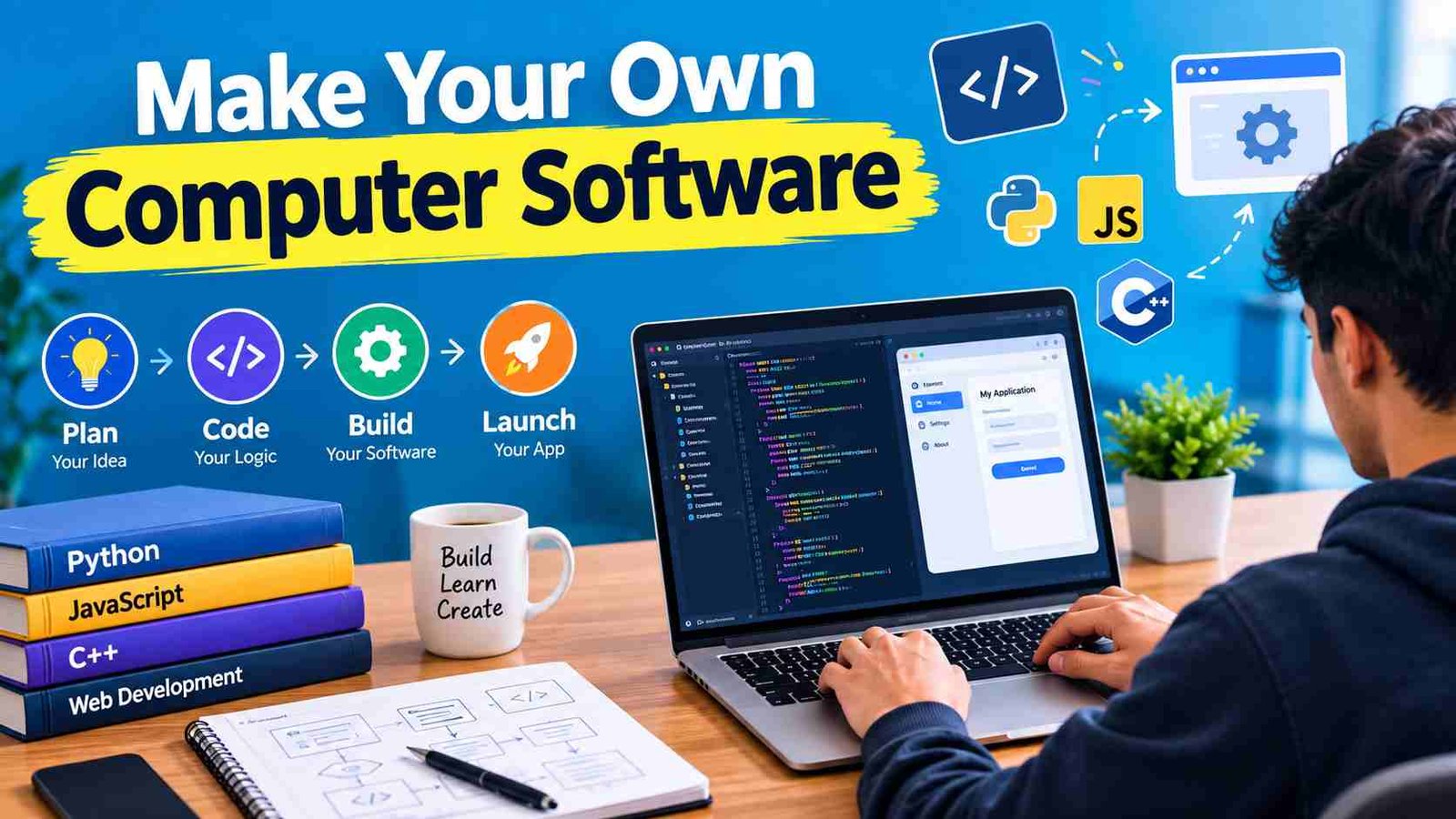
This guide explains how to create software from the beginning. You will learn how to choose an idea, select a programming language, plan features, set up your computer, write code, test your application, and make it available to others. The goal is to provide a practical roadmap in easy English without overwhelming you with advanced programming theory.
Can You Make Your Own Computer Software?
Yes, you can make your own computer software, even if you have no professional programming experience. The important thing is to begin with a manageable project and learn the skills needed for that specific application. Many people start by creating small programs that solve everyday problems, then gradually move toward more advanced software.
Is Software Development Possible for Beginners?
Software development is a process of giving instructions to a computer so it can perform specific tasks. Beginners can learn this process through online courses, practice projects, documentation, and experimentation. You do not need to understand every programming concept before writing your first program.
However, there is a difference between creating a simple personal tool and developing a large commercial application. A calculator may require only basic logic, while business software may need user accounts, databases, security, and ongoing maintenance. Starting small helps you understand the development process without becoming overwhelmed.
What Skills Do You Need?
You need basic computer knowledge, logical thinking, problem-solving ability, and a willingness to practice. Learning how variables, conditions, loops, functions, and files work will help you create useful programs. You should also become comfortable reading error messages and making small changes to your code.You do not need to master every skill immediately. Choose a project, learn what it requires and improve as you build.
What Type of Computer Software Can You Create?
Before learning how to make your own computer software, decide what kind of application you want to build. The software type affects your programming language, development tools, design and testing process.
| Software Type | Example Project |
| Desktop application | Calculator, notes app, inventory tool |
| Web application | Task manager, booking system, online dashboard |
| Command-line program | File organizer, backup utility |
| Automation software | Data-processing or repetitive-task tool |
| Educational software | Quiz or learning application |
| Game | Simple 2D puzzle or arcade game |
A desktop application runs directly on a computer, while a web application is accessed through a browser. Command-line programs use text commands instead of a graphical interface. Automation tools are designed to reduce repetitive work, such as renaming files or processing information.
For your first project, choose something that solves a real problem and has only a few essential features. A personal expense tracker is a better starting point than a complete banking platform. A small project gives you a realistic opportunity to finish, test, and improve your software.
Step 1: Define Your Software Idea and Requirements
The first practical step is to clearly define what your software will do. Many beginners start coding immediately and later discover that their project is confusing, too large, or missing important features. Planning first helps you avoid these problems.
Start by identifying the problem you want to solve. Ask yourself: Who will use this software? What task should it make easier? What result should users receive? For example, if you want to create a study planner, its purpose might be to help students organize subjects, set deadlines, and track completed tasks.
Create a Simple Requirements List
Write down the software’s main purpose, target users, essential features, required data, and supported platform. Also consider basic security and performance needs. This list does not need to be complicated. It simply gives you a clear direction before development begins.
For example, a basic task manager might allow users to add tasks, mark them as complete, edit task names, and delete tasks. Features such as team collaboration, notifications, and cloud synchronization can be added later.
Start With an MVP
An MVP or Minimum Viable Product, is the simplest working version of your software. It includes only the features necessary to solve the main problem. Building an MVP helps you finish faster, find mistakes earlier, and receive useful feedback before spending time on advanced features.
Step 2: Choose a Programming Language and Development Tools
The next step is choosing a programming language and the tools you will use to build your application. There is no single language that is best for every project. Your choice should depend on the type of software you want to create and your current skill level.
Popular Programming Languages for Making Software
| Language | Common Uses |
| Python | Beginner programs, automation, data tools, and simple applications |
| JavaScript | Web applications and browser-based software |
| C# | Windows desktop applications and game development |
| Java | Cross-platform and enterprise applications |
| C++ | Performance-focused and system-level software |
| Swift | Applications for Apple platforms |
Python is often a comfortable choice for beginners because its syntax is relatively easy to read. JavaScript is useful if you want to build software that runs in a web browser. C# is a strong option for many Windows applications, while Swift is commonly used for Apple-platform development.Choose one language that matches your project instead of trying to learn several at once.
Choose a Code Editor or IDE
A code editor or Integrated Development Environment (IDE) is where you write and manage your code. Tools such as Visual Studio Code, Visual Studio, IntelliJ IDEA, and PyCharm offer features that make development easier. Depending on the tool, you may get code completion, debugging, project management, and extensions.
You may also need a programming-language runtime or compiler, a package manager, libraries, and Git for version control. The exact setup depends on your language and operating system.
Step 3: Plan the Software’s Features and Design
Once you know what your software should do, plan how it will work. Good design makes your application easier to build and more comfortable for users. It also helps you divide a large idea into smaller, understandable tasks.
Start by listing the main features and deciding how users will interact with them. Think about the screens, buttons, menus, forms, and messages your application will need. You can sketch these ideas on paper before designing them digitally.
Create a Flowchart or Write Pseudocode
A flowchart shows the steps of a process visually, while pseudocode describes program logic using simple language. Both methods help you think through the solution before writing actual code.
For example, a basic calculator might follow this process:
- The user enters two numbers.
- The software checks the input.
- The program performs the selected calculation.
- The result appears on the screen.
This simple planning method can prevent logical mistakes later.
Plan the Architecture and Data Storage
Software architecture is the way the main parts of an application are organized. Even a small project benefits from separating the user interface, program logic, and data storage where appropriate.
Decide whether your software needs to save information. A simple tool may use text or JSON files, while a larger application may need a database. Planning storage early helps prevent problems when your application grows.
Step 4: Set Up Your Computer for Software Development
After choosing your language and planning your project, prepare your computer for development. Begin by creating a dedicated folder for your software. Keeping your code, images, documentation, and configuration files organized will make the project easier to manage.
Install the selected programming language, code editor or IDE, and any required libraries or frameworks. If your language uses a package manager, learn how to install and update dependencies. You may also want to install Git so you can track changes and restore earlier versions of your code.
Test Your Development Environment
Before building the complete application, run a small test program. Many beginners start with a “Hello, World!” example to confirm that the language and editor are working correctly.
Check that your program runs without errors, required packages installed properly, and your editor can execute or debug the code. Setup steps vary by language and operating system, so follow the official documentation for your chosen tools.
A working development environment gives you a reliable place to write, test, and improve your software.
Step 5: Write the Code for Your Software
Now you can begin turning your plan into a working application. Coding means writing instructions that tell the computer what to do. The best approach is to build one feature at a time instead of trying to write the entire program in one sitting.
Start with the most important function. For example, if you are building a task manager, first make sure users can create and display a task. After that works, add editing, completion, and deletion features.
Use clear names for variables, functions, and files. Keep related code organized and divide large programs into smaller, reusable components. This makes your software easier to understand and maintain.
Use Libraries and Frameworks Carefully
Libraries provide ready-made functionality, while frameworks offer a structure for developing applications. They can save time because you do not need to build every feature from zero. However, use trusted and documented tools, and avoid adding unnecessary dependencies that make your project harder to manage.
Use AI Coding Tools Responsibly
AI coding tools can help explain programming concepts, generate basic examples, and interpret error messages. They can be useful learning assistants, especially when you are stuck.
However, do not blindly copy AI-generated code. Read it, understand what it does, and test it carefully. Never share passwords, private credentials, or sensitive information with a coding tool.
Step 6: Test and Debug Your Computer Software
Testing is one of the most important parts of learning how to make your own computer software. A program may run successfully in one situation but fail when users enter unexpected information. Testing helps you discover these problems before they affect others.
Types of Software Testing
Unit testing checks individual functions or components. Integration testing checks whether different parts of the application work together. Functional testing confirms that features perform their intended tasks. Usability testing examines whether people can understand and use the software easily.
Performance testing checks speed and resource usage, while security testing looks for weaknesses that could expose data or allow unauthorized access. You do not need advanced testing systems for your first project, but you should test every important feature.
How to Debug Common Problems?
When something fails, read the error message carefully and try to reproduce the problem. Identify which part of the code is responsible, make one change at a time, and test again. Debugging becomes easier when you understand the cause instead of guessing.
Test realistic and unusual inputs, such as empty fields, incorrect data types, missing files, very large values, and unexpected user actions. These checks help make your software more reliable.
Step 7: Build, Package, and Run Your Software
After your main features work, prepare the application so it can run properly outside your development environment. Source code is the code you write, while a usable application may require building, compiling, or packaging.
Some languages need a compiler to convert code into an executable form. Others run through a runtime or interpreter. The exact process depends on the language and the type of software you are creating.
Make Your Software Installable
If you are creating desktop software, you may need to package the application into an installer or distributable folder. Include the required files, libraries, and instructions. Test the installation process on another computer when possible.
Before releasing the software, run it locally and check its major features. Confirm that saved data works correctly, required files are included, and no important error messages appear.
Step 8: Deploy or Distribute Your Software
Deployment means making your software available for users. The method depends on what you have built. A desktop program may be shared through an installer, while a web application may be hosted on a server or cloud platform.
You can distribute software through an official website, a trusted software marketplace, or a suitable package repository. Before releasing it, create clear installation and usage instructions. Add a version number so users can identify which release they have.
Review permissions, security settings, and privacy considerations. Back up your source code and explain any known limitations. A clear release process helps users install and understand your application with fewer problems.
Step 9: Maintain, Update and Improve Your Software
Software development does not end when the first version is released. Users may discover bugs, request improvements, or experience problems on different computers. Regular maintenance keeps your application useful, secure, and reliable.
Fix reported bugs, update outdated dependencies, improve performance, and apply security patches when necessary. You should also maintain documentation so you can understand the project later or allow others to work on it.
Collect User Feedback
Ask users which features are helpful and which parts are confusing. Track repeated problems and prioritize improvements based on real needs. Avoid adding features simply because they sound interesting. Every update should make the software more useful or dependable.
Use Version Control
Git is a popular version-control system that tracks changes in your code. Make regular commits with meaningful messages, keep backups, and use branches when experimenting with major changes. Version control is valuable even for personal projects because it helps you recover from mistakes.
Common Mistakes to Avoid When Making Your Own Software
Beginners often make the mistake of choosing a project that is too large. Starting with a complex application can lead to frustration and unfinished work. Choose a small project that you can realistically complete.
Other common mistakes include skipping planning, copying code without understanding it, ignoring error messages, and failing to test unusual inputs. Some beginners also add too many features before the basic version works.
Do not ignore security, privacy, or documentation. Even a small application should handle user data carefully and explain how it works. Finally, avoid releasing software without testing installation, updates, and the main features. A simple but reliable program is more valuable than a large application that constantly fails.
How Much Does It Cost to Make Your Own Computer Software?
The cost depends on the type and complexity of the software. If you are building a small personal project, you can often begin with free programming languages, code editors, libraries, and version-control tools. This makes learning software development accessible to many people.
However, commercial software may require paid services. Possible expenses include hosting, cloud infrastructure, databases, external APIs, domain names, marketplace fees, security tools, and professional development help. You may also need to pay for design, testing, customer support, and ongoing maintenance.
Free tools are often enough for learning and small applications, but paid services may provide advanced features or save time. Remember that your own development time also has value, even when the software tools cost nothing.
How Long Does It Take to Create Computer Software?
The time required depends on the project’s features, your experience, and the platform you choose. A simple calculator or file organizer might take a few hours or days. A polished application with a user interface, database, authentication, and testing may take weeks or months.
Large commercial software can require a team of designers, developers, testers, and project managers over a much longer period. Planning, integrations, security, and maintenance can significantly increase the timeline.The best way to estimate your project is to divide it into small tasks. Build the basic version first, then estimate the time needed for improvements.
5 Tips for Successfully Building Your First Software Project
- Start with a small, practical idea.
- Learn one programming language before adding another.
- Follow official documentation and build features step by step.
- Test your code regularly and use version control.
- Understand the code you use instead of relying only on copying or automation.
The goal of your first project is not perfection. It is to learn how software is planned, created, tested, and improved.
Frequently Asked Questions
1. Can I make my own computer software without experience?
Yes. You can begin with a small program and learn the required programming skills as you build it. Simple projects are the best way to gain confidence.
2. What is the easiest software to make as a beginner?
A calculator, to-do list, notes app, quiz program, or simple file organizer is a good starting project. These applications teach useful programming basics without requiring complex systems.
3. Which programming language should I learn first?
Python is a beginner-friendly choice for many simple programs and automation tasks. However, JavaScript, C#, Java, or Swift may be more suitable depending on the software you want to create.
4. Can I create software without writing code?
Yes. No-code and low-code platforms allow people to build certain applications using visual tools. However, complex or highly customized software may still require traditional programming.
5. Can AI help me build my own software?
Yes. AI can explain code, suggest solutions, create examples, and help identify errors. You should still review, understand, and test its output before using it in your application.
Conclusion
Learning how to make your own computer software becomes easier when you follow a clear process. Start with a small idea, define its requirements, choose a suitable programming language, and plan the main features. Then set up your development environment, write the code, test it carefully, and package the application for users.
Remember that software development is an ongoing process. Your first version does not need to be perfect. Focus on solving one real problem, learning from mistakes, and improving the program over time. With consistent practice and the right tools, you can turn your own software idea into a working application.