Introduction
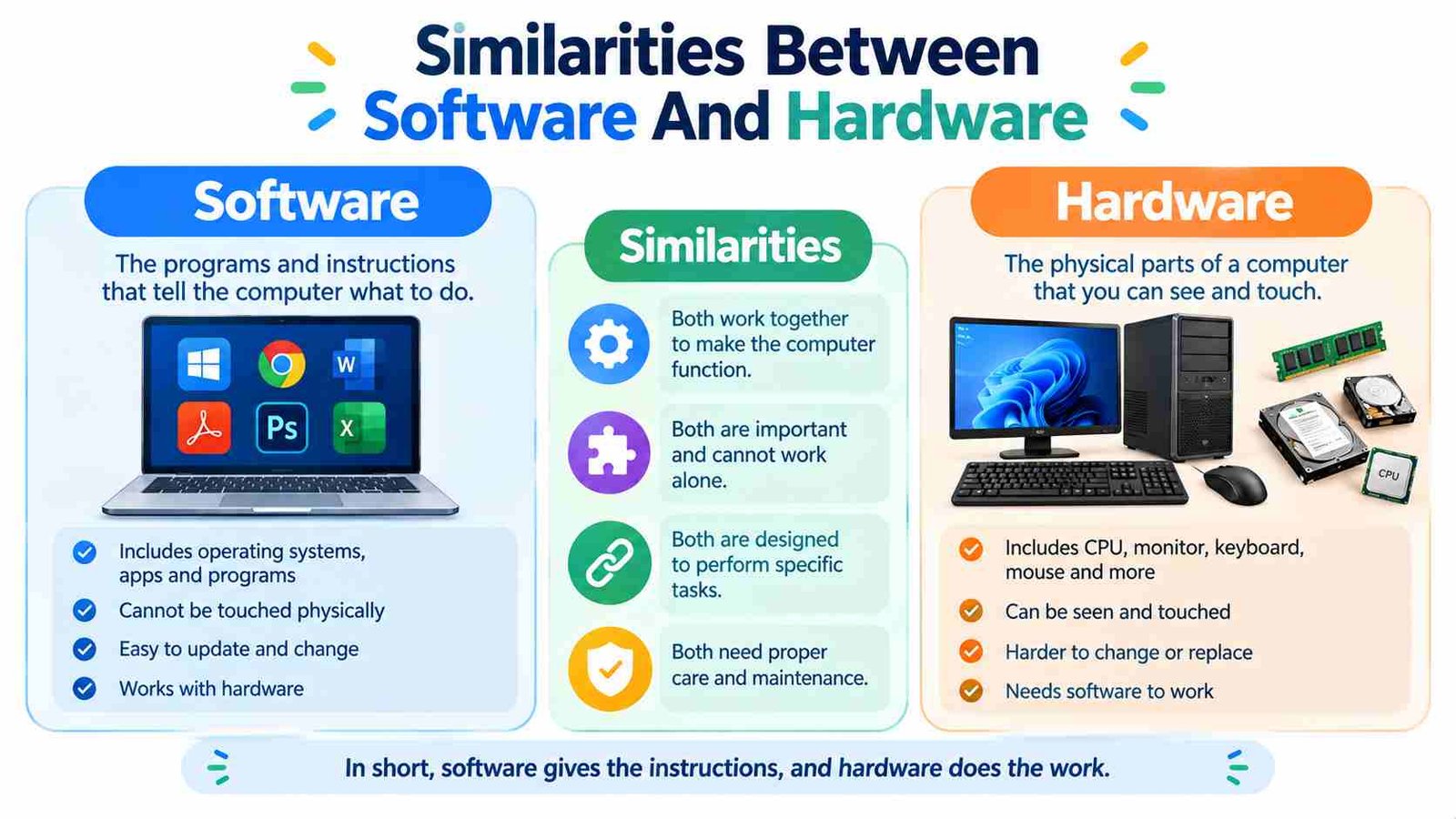
Every computer, smartphone, and smart device depends on two important elements: hardware and software. Hardware includes the physical parts we can touch, such as a processor, keyboard, screen, and storage drive. Software includes the programs and instructions that tell those physical parts what to do. Although they are different in form, understanding the similarities between software and hardware helps explain how modern technology works.
Many people learn about hardware and software as separate topics, but they are closely connected. Both are essential to a functioning computer system, support data processing, require careful development, and need maintenance over time. They also depend on each other to deliver useful results. For example, a word-processing application needs hardware to run, while the hardware needs software instructions to process and display a document.
This guide explains the major similarities between software and hardware in easy language. It also covers their definitions, relationship, differences, real-world examples, and importance in everyday technology.
What Is Hardware?
Definition of Hardware
Hardware refers to the physical components of a computer or electronic device. These are the parts that can be seen or touched. Hardware performs important functions such as processing information, storing files, receiving input, displaying output, and connecting to networks.
Common hardware examples include the central processing unit (CPU), random access memory (RAM), motherboard, keyboard, mouse, monitor, hard disk drive (HDD), and solid-state drive (SSD). Each component has a specific purpose, but they work together as part of a complete system.
For example, when you type a sentence, the keyboard receives your input, the processor handles instructions, memory temporarily holds information, and the monitor displays the result. Without these physical components, software would have no practical platform on which to operate.
Main Types of Hardware
Hardware can be grouped according to its function. Processing hardware, such as CPUs and GPUs, handles calculations and instructions. Input hardware, including keyboards, mice, scanners, and microphones, allows users to provide information. Output hardware, such as monitors, printers, and speakers, presents results.
Storage hardware includes HDDs, SSDs, USB drives, and memory cards. These devices save data for future use. Networking hardware, such as routers, modems, and network adapters, helps devices communicate with other systems.
Why Is Hardware Important?
Hardware provides the physical foundation of computing. It supplies the processing power, memory, storage, and interfaces required for software to function. Its quality and capability can directly affect a device’s speed, reliability, and performance.
What Is Software?
Definition of Software
Software is a collection of programs, instructions, and related data that tells a computer or electronic device how to perform tasks. Unlike hardware, software is not usually a physical object that users can touch. It operates through digital instructions stored in a device’s memory or storage.
Examples of software include operating systems, web browsers, office applications, games, media players, and security tools. When you open an application, the software gives instructions to the hardware, allowing the device to perform the requested action.
For instance, when you play a video, the software reads the video file, manages playback, and sends instructions to the device. The processor handles calculations, the storage system provides the file, and the display hardware shows the images.
Main Types of Software
Software is commonly divided into several categories. System software, such as Windows, Linux, macOS, Android, and device drivers, manages computer resources and supports other programs. Application software, such as word processors, browsers, and design tools, helps users complete specific tasks.
Utility software performs maintenance and protection activities, including backups, antivirus scanning, and disk management. Programming software, such as code editors, compilers, and interpreters, helps developers create and test other software.
Why Is Software Important?
Software makes hardware useful for everyday activities. It allows users to write documents, browse the internet, edit images, communicate, play games, and manage data. Without suitable software, even powerful hardware would have limited practical value.
What Are the Similarities Between Software and Hardware?
The similarities between software and hardware become clearer when we look at their shared purpose, development, maintenance, and relationship within a computer system. They are not the same thing, but both contribute to the operation and success of modern technology.
1. Both Are Essential Parts of a Computer System
One of the most important similarities is that both hardware and software are essential parts of a complete computer system. Hardware provides the physical equipment, while software provides the instructions and functionality needed to use that equipment.
A laptop, for example, may contain a powerful processor, sufficient RAM, and a large SSD. However, without an operating system and applications, a user cannot easily perform common tasks. Similarly, software cannot run without suitable hardware resources.
This shared importance means that hardware and software must be considered together when designing or using a computer. A problem with either one can affect the performance of the entire system.
2. Both Work Together to Perform Tasks
Hardware and software cooperate to complete almost every digital task. Software creates instructions, and hardware executes or supports those instructions. Neither works in isolation during normal computing activities.
Consider opening a video file. The media player is software that reads and manages the file. The operating system helps allocate resources, the processor handles instructions, the storage device provides the data, and the graphics hardware helps display the video.
This cooperation shows that hardware and software have a shared goal: helping a device complete tasks accurately and efficiently. Their roles are different, but their functions are closely connected.
3. Both Process or Support Data
Another similarity is their involvement in data processing. Hardware physically stores, transfers, and processes data, while software organizes, interprets, and manipulates that data through instructions.
For example, when a spreadsheet calculates a total, the software determines the calculation required, while the processor performs the underlying operations. Storage hardware holds the spreadsheet, and memory helps the application work while it is open.
Both are therefore important in handling information. Hardware provides the physical resources, and software determines how those resources are used to produce meaningful results.
4. Both Require Input and Produce Output
Hardware and software are both involved in the input-and-output process. Hardware devices such as keyboards, cameras, microphones, and touchscreens receive information from users or the environment. Software accepts that information and processes it according to its purpose.
The output may then appear through a monitor, printer, speaker, or another device. For example, when a user types a document, the keyboard captures the input, the word-processing software processes the text, and the monitor displays the result.
This demonstrates that both hardware and software contribute to communication between users and computers. Hardware handles physical interaction, while software manages the instructions and responses behind that interaction.
5. Both Depend on Each Other
Hardware and software have a strong relationship of interdependence. Hardware needs software instructions to perform most useful computing tasks, while software needs hardware resources to execute.
A printer, for example, requires physical components to print a document, but it also needs software support and often a device driver to receive and interpret print commands. Likewise, an application requires a processor, memory, storage, and other resources to function.
Device drivers and firmware help connect these two sides. This dependency is one of the clearest reasons why hardware and software are usually designed and tested as parts of the same system.
6. Both Require Design, Planning and Development
Hardware and software are both created through organized development processes. Hardware development may involve engineering, circuit design, prototyping, testing, and manufacturing. Software development may involve planning, coding, testing, debugging, and deployment.
Although the methods differ, both require technical knowledge, careful decisions, and attention to the intended purpose. Developers must understand user needs, performance requirements, compatibility, and reliability.
For example, a smart device requires engineers to design its physical components and software developers to create the programs that control them. Successful results depend on both sides being planned to work together.
7. Both Need Testing and Quality Control
Testing is another important similarity between software and hardware. Hardware is tested for performance, durability, safety, reliability, and compatibility. Software is tested for functionality, security, usability, performance, and errors.
Testing helps identify problems before a product reaches users. A hardware device may fail because of a faulty component, while software may produce incorrect results because of a bug. In many modern products, both types of testing are also performed together.
For example, a smartphone manufacturer must test not only the phone’s camera hardware but also the software that controls the camera. This ensures that the complete feature works as expected.
8. Both Can Be Updated or Improved
Hardware and software can both be improved over time. Hardware improvements may involve replacing components, increasing capacity, or developing a newer device model. Software improvements usually involve updates, patches, new features, and bug fixes.
For example, a computer may receive a RAM or SSD upgrade to improve performance. Its operating system may also receive updates that improve security or compatibility.
The methods are different, but the goal is similar: improving performance, reliability, functionality, or user experience. Firmware updates also show how software improvements can sometimes enhance the operation of existing hardware.
9. Both Have a Lifecycle
Both hardware and software follow a lifecycle. Their development generally includes planning, creation, testing, release, maintenance, and eventual replacement or retirement.
Hardware may become outdated, physically damaged, or difficult to repair. Software may become obsolete, unsupported, insecure, or incompatible with newer systems. For this reason, both require lifecycle management.
Understanding this similarity is useful for businesses and individuals. It helps them plan upgrades, maintain systems, replace aging components, and avoid relying on technology that no longer meets their needs.
10. Both Can Require Significant Investment
Developing and maintaining hardware and software can require considerable time, skill, and money. Hardware costs may include materials, manufacturing equipment, engineering, testing, and distribution. Software costs may include development teams, infrastructure, security, testing, support, and updates.
The cost depends on the complexity and purpose of the product. A simple utility program and a large operating system have very different development requirements, just as a basic electronic device differs from a modern smartphone.
This shared need for resources shows that both hardware and software are valuable technological products that require proper planning and management.
11. Both Must Meet Compatibility and Performance Requirements
Hardware and software must meet certain performance and compatibility requirements to work effectively. Hardware components need to communicate with one another using supported standards. Software must work with the operating system, device architecture, drivers, and other necessary programs.
Performance is also important. A powerful application may run slowly if the computer has insufficient RAM or processing power. Similarly, high-quality hardware may not deliver its full capability if the software is poorly optimized or incompatible.Therefore, both hardware and software are evaluated for speed, reliability, efficiency, and their ability to work within a larger system.
How Do Software and Hardware Work Together?
The Basic Interaction Between Software and Hardware
The relationship between software and hardware can be understood through a simple process. First, the user provides a command, such as opening a file or typing text. Software interprets the command and requests the necessary resources from the operating system.
The operating system manages communication between the application and hardware. Device drivers may translate instructions into a form that a particular device can understand. Hardware then processes the instructions, stores or retrieves data, or produces an output.
Finally, the result is returned to the software and presented to the user. This process happens very quickly, often in fractions of a second.
The Role of the Operating System
The operating system acts as an important intermediary between applications and hardware. It manages resources such as the CPU, memory, storage, files, and connected devices.
For example, when several applications are open, the operating system helps distribute processor time and memory among them. It also allows software to access hardware without requiring every application to control the physical components directly.
The Role of Device Drivers and Firmware
Device drivers allow the operating system to communicate with specific hardware, such as printers, graphics cards, and network adapters. Firmware is specialized low-level software that is closely associated with hardware and helps initialize or control a device.Together, operating systems, drivers, and firmware make communication between software and hardware more organized and reliable.
Similarities vs. Differences Between Software and Hardware
Although software and hardware share many characteristics, they remain different in nature. The following table makes the distinction easier to understand.
| Aspect | Hardware | Software |
| Nature | Physical and tangible | Digital and intangible |
| Main role | Provides physical resources and executes operations | Provides instructions and functionality |
| Examples | CPU, RAM, monitor, SSD | Windows, Chrome, Photoshop |
| Development | Designed and manufactured | Designed, coded, and tested |
| Maintenance | Repair, cleaning, or replacement | Updates, patches, and bug fixes |
| Upgrades | Usually involve physical changes | Usually installed digitally |
| Dependency | Requires software for many useful tasks | Requires hardware to execute |
| Lifespan | Can wear out physically | Can become outdated or unsupported |
The key point is that their differences do not make one more important than the other. Hardware provides the physical capability, while software determines how that capability is used. Together, they create a complete computing experience.
Examples of Software and Hardware Working Together
Desktop or Laptop Computer
A laptop combines hardware such as a CPU, RAM, keyboard, monitor, and storage drive with software such as an operating system, browser, and office applications. When a user writes a document, the hardware processes and displays information while the software manages the task.
Smartphone
A smartphone uses hardware such as a processor, touchscreen, camera, battery, and sensors. Its operating system and applications control these components and allow users to communicate, take photographs, browse websites, and run services.
Gaming System
A gaming system depends on a CPU, GPU, controller, display, and storage hardware. Games and operating-system software provide instructions that use these components. Smooth gaming performance depends on both hardware capability and software optimization.
Smart Devices and Embedded Systems
Smart appliances, vehicles, medical devices, and industrial machines often use sensors, microcontrollers, motors, and communication components. Embedded software or firmware controls these physical parts and allows the device to perform specific functions automatically.
Why Understanding These Similarities Matters?
Understanding the similarities between software and hardware helps students learn computer fundamentals more easily. It explains why a computer is not simply a collection of physical parts or programs, but a complete system in which different components cooperate.
This knowledge is also useful for troubleshooting. A broken keyboard may indicate a hardware problem, while an application crash may be related to software. However, some issues involve both, such as missing drivers, outdated firmware, or compatibility problems.
The concept also helps users make better upgrade decisions. For example, installing demanding software may require more RAM, storage, or processing power. Knowing how both sides interact helps users check system requirements before purchasing or upgrading a device.
For IT professionals, developers, and engineers, this understanding is even more important because reliable technology often depends on the coordination of hardware and software throughout the product lifecycle.
Common Misconceptions About Software and Hardware
Hardware and Software Are the Same Thing
Hardware and software are not the same. Hardware is physical equipment, while software consists of digital instructions and data. They work together but have different forms and functions.
Hardware Can Work Fully Without Software
Some hardware can perform limited built-in functions through firmware, but most modern computing tasks require software. A processor, storage device, or printer generally needs appropriate instructions to perform useful operations.
Software Is Always Easy to Change
Software is often easier to update than hardware, but complex software changes still require planning, testing, security checks, and resources. An update is not always simple or risk-free.
Hardware Problems Are Always Physical
Not every hardware-related problem is caused by physical damage. Incorrect drivers, firmware issues, configuration errors, and compatibility problems can also prevent hardware from working correctly.
Frequently Asked Questions
1. What are the main similarities between software and hardware?
Both are essential parts of a computer system, work together to perform tasks, support data processing, require development and testing and need maintenance or improvement.
2. What is the biggest similarity between hardware and software?
Their biggest similarity is that both are necessary for a computer system to perform useful tasks and deliver results to users.
3. How are hardware and software dependent on each other?
Hardware provides the physical resources needed to run software, while software gives hardware instructions and manages how its resources are used.
4. Do both hardware and software need updates?
Yes. Hardware may be replaced or improved, and some devices receive firmware updates. Software receives patches, bug fixes, security updates, and new versions.
5. What is the relationship between hardware, software, and firmware?
Hardware is the physical equipment, software provides programs and instructions, and firmware is specialized low-level software that helps initialize and control hardware.
Conclusion
The similarities between software and hardware show that both are essential to modern computing. They work together to process data, receive input, produce output, and complete user tasks. Both also require planning, development, testing, maintenance, upgrades and lifecycle management.However, they are different in nature: hardware is physical, while software is digital. Hardware provides the resources, and software provides the instructions that make those resources useful. From laptops and smartphones to gaming systems and smart appliances, successful technology depends on their cooperation. Understanding this relationship helps users learn computer basics, troubleshoot problems and make better technology decisions.