Introduction
Managing real estate involves much more than buying, selling, or renting properties. Property managers and real estate businesses must also handle tenant records, lease agreements, rent payments, maintenance requests, owner communication, and financial reports. When these tasks are managed through spreadsheets, paper files, and separate applications, important information can become difficult to find, and routine work can take more time.
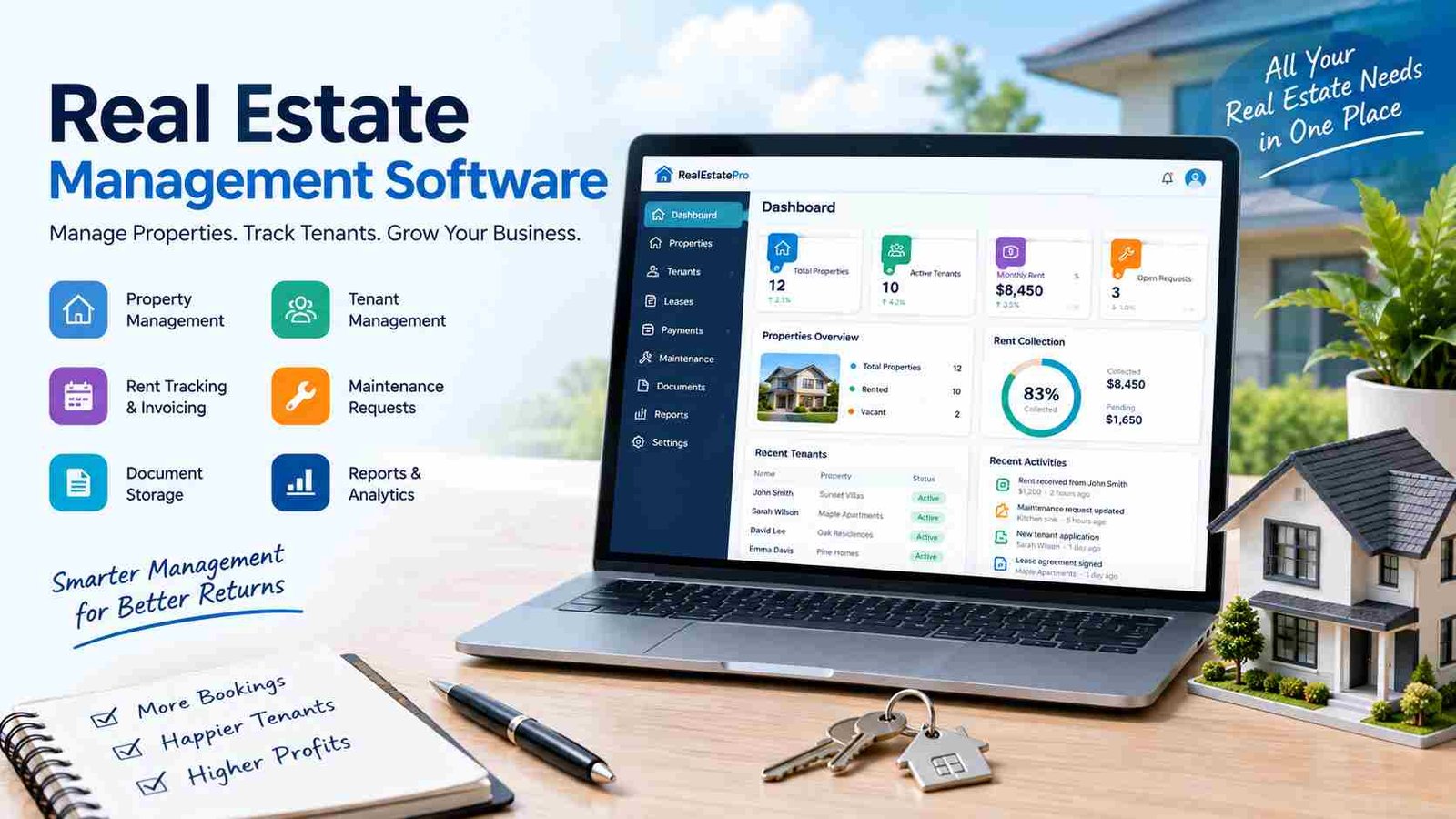
Real estate management software helps solve these challenges by bringing essential property operations into one organized digital platform. Depending on the system, it can support everything from rental payments and maintenance tracking to property sales, customer management, and financial reporting. It can be useful for individual landlords, property management companies, real estate agencies, developers, and commercial property owners.
However, not every platform offers the same tools. Some focus mainly on rental properties, while others provide broader features for sales, development, or housing society management. This guide explains what real estate management software is, how it works, its key features, benefits, costs, and how to choose a solution that fits your business.
What Is Real Estate Management Software?
Real estate management software is a digital system designed to help businesses organize, manage, and automate property-related activities. It stores important information about properties, units, tenants, owners, leases, payments, maintenance, and other operations in one central location. Instead of relying on multiple spreadsheets or disconnected tools, users can manage daily tasks through a shared platform.
The exact purpose of the software depends on the provider and the type of business using it. A landlord may mainly need rent tracking and lease reminders, while a property management company may require tenant portals, accounting, maintenance workflows, and owner reporting. A real estate developer may need property inventory, sales bookings, installment schedules, and customer relationship management.
How Does Real Estate Management Software Work?
Most systems begin by storing property, tenant, owner, or customer information in a centralized database. Users can then update records, track transactions, create tasks, and monitor activities through dashboards. Many platforms automate repetitive processes, such as sending rent reminders, notifying staff about maintenance requests, or alerting managers when a lease is approaching its renewal date.
Some solutions also connect accounting software, payment gateways, email systems, listing platforms, or CRM tools. This allows information to move between different business functions with less manual data entry. Reports and analytics then help users understand occupancy, income, expenses, outstanding payments, and overall property performance.
Who Uses Real Estate Management Software?
This software can serve many types of real estate professionals. Individual landlords may use it to manage a small rental portfolio, while property management companies can use it to coordinate hundreds or thousands of units. Real estate agencies may focus on listings, leads, and client relationships. Developers may need sales, booking, and installment management. Commercial property owners, housing societies, and facility managers can also benefit from specialized features.
Why Do Businesses Need Real Estate Management Software?
Real estate operations often involve information that changes frequently. Tenants move in and out, leases expire, payments become due, maintenance issues arise, and property expenses must be recorded accurately. When these activities are managed manually, it becomes easier to miss deadlines, lose documents, or enter incorrect information.
For example, a manager who tracks rent in one spreadsheet, maintenance requests through messaging apps, and lease agreements in email folders may struggle to see the complete picture of a property. Finding a payment history or checking which repairs are still pending can require searching through several places. As the number of properties grows, these problems become more difficult to control.
Real estate management software creates a more connected workflow. Property details, financial records, tenant communication, and maintenance information can be accessed from one system. Automated reminders reduce the need to remember every deadline, while dashboards provide a clearer view of daily operations.
Manual Property Management vs. Software-Based Management
| Area | Manual Management | Real Estate Management Software |
| Property records | Spreadsheets and files | Centralized database |
| Rent tracking | Manual updates | Automated tracking and reminders |
| Maintenance | Calls, messages, or paper logs | Digital requests and work orders |
| Reporting | Time-consuming | Automated reports |
| Document storage | Physical or scattered files | Organized digital records |
| Team access | Limited and disconnected | Role-based, shared access |
Software does not remove the need for professional judgment, but it can reduce administrative work and make important information easier to manage.
Types of Real Estate Management Software
Real estate businesses have different operational needs, so software is often designed around specific property types or business models. Choosing the right category is important because a tool built for residential rentals may not provide the features required by a commercial property owner or real estate developer.
Residential Property Management Software
Residential property management software is designed for apartments, houses, condominiums, and other rental units. It commonly includes tenant records, lease tracking, rent collection, maintenance requests, and communication tools. Property managers can use it to monitor occupancy, organize tenant information, and manage routine rental activities.
Commercial Property Management Software
Commercial property software supports offices, retail spaces, shopping centers, warehouses, and other business properties. It may include commercial lease administration, tenant billing, occupancy tracking, operating expense management, and financial reporting. Some platforms also support common area maintenance (CAM) calculations and other commercial-specific requirements.
Rental and Short-Term Rental Software
Rental property management tools focus on collecting rent, tracking leases, managing deposits, and monitoring late payments. Short-term rental software, by contrast, may emphasize booking calendars, reservations, guest communication, cleaning schedules, and connections with listing channels. The right option depends on whether the business manages long-term tenants or frequently changing guests.
Real Estate Agency and CRM Software
Real estate agencies often need tools for property listings, lead capture, client communication, follow-up reminders, appointments, and sales pipelines. These features help agents organize inquiries and maintain relationships with buyers, sellers, and renters.
Real Estate ERP and Housing Society Software
Real estate ERP software combines several business functions, such as property inventory, sales, bookings, installment plans, accounting, CRM, and document management. It may be useful for developers and larger organizations. Housing society software can also include plot records, member management, allocation, installment collection, transfers, development charges, and resident communication.
Key Features of Real Estate Management Software
The features available in real estate management software vary by provider, but a comprehensive platform typically connects property operations, financial activities, and customer management. Businesses should focus on features that solve their actual workflow problems rather than choosing a system based only on the number of tools it advertises.
Property and Portfolio Management
A property management module stores information about buildings, units, addresses, ownership, availability, occupancy, and property documents. Users can view individual units or monitor an entire portfolio from one dashboard. This is especially helpful for businesses managing properties across multiple locations.
Tenant, Owner and Lease Management
Tenant and owner management tools organize contact details, lease history, communication records, and account information. Lease management features can track contract start and end dates, security deposits, renewal deadlines, and important documents. These records help managers respond to questions and avoid missing key obligations.
Rent Collection and Payment Tracking
Many platforms support online rent collection, recurring payments, payment histories, receipts, and automated reminders. Some also calculate late fees or manage installment schedules. These tools make it easier to identify outstanding balances and maintain accurate financial records, although payment features depend on the provider and supported payment methods.
Accounting and Financial Management
Financial tools may track income, expenses, invoices, accounts payable, accounts receivable, budgets, and property-level profitability. More advanced systems can include bank reconciliation, owner distributions, general ledger functions, and financial reports. Accurate accounting features are particularly important for managers responsible for multiple properties or owners.
Maintenance and Work Order Management
Maintenance modules allow tenants or staff to submit repair requests digitally. Managers can assign work orders to vendors, set priorities, monitor progress, and record repair costs. Preventive maintenance scheduling and inspection tracking can also help businesses identify recurring problems before they become more expensive.
Portals, Reporting and Document Management
Tenant and owner portals can provide access to payment histories, lease documents, maintenance updates, and announcements. Reporting tools may show occupancy, rent collection, income, expenses, vacancies, and property performance. Document management keeps agreements, invoices, inspection reports, and other records organized and searchable.
Integrations, Mobile Access and Security
Integrations with accounting tools, payment gateways, CRM systems, listing websites, and communication platforms can reduce duplicate work. Cloud and mobile access allow authorized users to work remotely. Security features such as role-based permissions, authentication, backups, encryption, and activity logs help protect sensitive property and financial information.
Benefits of Real Estate Management Software
The main advantage of real estate management software is that it connects daily property tasks in one organized system. Instead of treating rent collection, maintenance, accounting, and communication as separate activities, businesses can manage them through linked workflows. This can improve efficiency while reducing the confusion caused by scattered records.
One major benefit is time savings. Automated reminders, recurring payment processes, digital forms, and centralized records reduce repetitive administrative work. Employees can spend less time searching for information and more time handling tenant concerns, property performance, and business decisions.
The software can also improve financial visibility. Managers can track income, expenses, outstanding payments, and property-level performance more consistently. This makes it easier to identify cash-flow problems, review budgets, and prepare owner statements. However, the quality of financial reports still depends on accurate data and proper system configuration.
Tenant experience may improve as well. Online payment options, tenant portals, and digital maintenance requests provide convenient ways for residents to communicate and access information. Managers can track requests more clearly, which may help reduce delays and improve accountability.
Finally, dedicated software supports growth. A business managing several properties may be able to expand its portfolio without increasing administrative work at the same rate. The benefits are strongest when the system matches the organization’s processes and employees are properly trained to use it.
Real Estate Management Software for Different Business Needs
The best real estate management software depends on the size of the business, the property type, and the tasks that need the most attention. A small landlord may not need the same system as a developer managing a large housing project.
For small landlords, essential features may include tenant records, rent tracking, lease reminders, maintenance requests, and simple financial reports. Ease of use and affordable pricing are often more important than advanced customization.
Property management companies may need stronger support for multiple properties, owners, tenants, accounting workflows, maintenance coordination, and owner statements. Multi-user access is also important when several employees handle different responsibilities.
Real estate agencies generally benefit from listing management, lead tracking, CRM tools, client follow-ups, appointment scheduling, and sales pipelines. Their primary goal may be to manage relationships and transactions rather than recurring rental operations.
Real estate developers often require property and plot inventory, booking management, installment schedules, customer records, project reporting, and document control. Commercial property managers may prioritize lease administration, tenant billing, occupancy monitoring, operating expenses, and facility management.
For housing societies, useful features can include member records, plot allocation, installment collection, transfer management, development charges, billing, and resident communication. The key is to choose software that supports the organization’s actual operational model.
Cloud-Based vs. On-Premise Real Estate Management Software
Real estate management software is commonly available through cloud-based or on-premise deployment. Cloud-based software is hosted by the provider and accessed through the internet, while on-premise software is installed and managed on an organization’s own infrastructure.
| Factor | Cloud-Based Software | On-Premise Software |
| Access | Via the internet | Usually through local infrastructure |
| Maintenance | Often managed by the provider | Managed by the business |
| Updates | Usually handled by the provider | Managed internally |
| Initial setup | Often faster | May require more infrastructure |
| Scalability | Generally flexible | Depends on hardware and setup |
| Data control | Governed by provider agreement | More direct infrastructure control |
Cloud-based systems are often attractive because they support remote access, automatic updates, collaboration, and flexible scaling. They can be useful for teams working across different offices or locations. However, businesses should review internet requirements, provider security, backup policies, and data ownership terms.
On-premise software may suit organizations with specific infrastructure requirements, existing IT resources, or strict preferences about data hosting. It can offer greater control over the local environment but may require more responsibility for maintenance, upgrades, security, and backups. Neither model is automatically best; the decision should depend on budget, technical capacity, compliance needs, and business priorities.
How Much Does Real Estate Management Software Cost?
The cost of real estate management software varies widely because providers use different pricing models and offer different feature levels. Some charge a monthly subscription, while others use per-unit, per-user, tiered, or custom enterprise pricing. On-premise solutions may also involve licensing and infrastructure expenses.
The number of properties, units, users, and required features can significantly affect the final price. A small landlord using basic rent tracking may pay much less than a property management company needing accounting, owner portals, advanced reporting, and multiple integrations. Commercial property management and real estate ERP systems may also cost more because they support complex workflows.
Businesses should look beyond the advertised subscription price. Additional costs may include setup, data migration, training, payment processing, premium support, customization, and integrations. A low-cost plan may become expensive if essential features require separate add-ons.
Free software or trial plans can be useful for testing basic workflows, but they may have limits on users, properties, automation, or reporting. The best approach is to compare the total cost of ownership with the time and errors the software could help reduce.
How to Choose the Best Real Estate Management Software?
Choosing software should begin with business requirements, not marketing claims. First, identify the properties you manage, the number of units and users, and the tasks that currently take the most time. For example, a landlord may prioritize rent collection, while a developer may need sales bookings and installment management.
Next, create a list of essential features. Consider property records, lease management, payments, accounting, maintenance, reporting, document storage, CRM, and tenant or owner portals. Not every business needs every module, so separate must-have features from optional tools.
Ease of use is equally important. A platform with many features may still be a poor choice if employees find it difficult to navigate. Look for clear dashboards, simple workflows, mobile accessibility, training resources, and responsive customer support.
Security and integrations should also be reviewed carefully. Ask how the provider protects data, manages user permissions, handles backups, and supports data export. Confirm that the software works with the accounting, payment, banking, CRM, or listing tools your business already uses.
Finally, request a demo or free trial. Test realistic tasks such as adding a property, recording rent, creating a maintenance request, generating a report, and assigning user permissions. A practical trial often reveals more than a feature list.
How to Implement Real Estate Management Software Successfully?
Successful implementation requires more than purchasing a subscription. Businesses should first define what they want the software to improve, such as faster rent collection, better maintenance tracking, fewer data errors, or clearer financial reporting. Clear goals make it easier to measure whether the system is delivering value.
The next step is configuring the platform. Set up properties, units, users, permissions, payment settings, accounting categories, and workflows according to the organization’s needs. Existing spreadsheets and paper records should be reviewed before migration. Duplicate or outdated information can create problems if it is transferred without cleaning.
Training is another important part of implementation. Property managers, accountants, administrators, and agents should understand how to perform their daily tasks in the new system. Starting with the most important workflows can make the transition easier.
Before full deployment, test rent payments, lease reminders, maintenance requests, reports, integrations, and access permissions. After launch, monitor usage and collect feedback from employees and tenants. Small adjustments to workflows can improve adoption and prevent the software from becoming another disconnected tool.
Common Challenges and Limitations of Real Estate Management Software
Although real estate management software offers many advantages, it is not a complete solution to every business problem. The initial setup may require time, staff training, and careful data migration. Employees who are comfortable with existing spreadsheets may also resist changing their routines.
Cost is another consideration. Subscription fees, add-ons, integrations, and support charges can increase the total expense. Some platforms may also have limited customization, making them unsuitable for businesses with highly specialized workflows.
Cloud-based software depends on internet access and the provider’s service availability. Businesses should also understand how their data is stored, protected, backed up, and exported. Incorrect data entry can still lead to inaccurate reports, even when the system is automated.
To reduce these risks, choose software based on actual needs, clean data before migration, train users, review security policies, and confirm that important records can be exported. A pilot rollout can help identify problems before the system is introduced across the entire organization.
Real Estate Management Software vs. Excel and Spreadsheets
Excel remains useful for simple calculations, small property records, and temporary tracking. A landlord with one property and a few tenants may be able to manage basic information effectively with a spreadsheet. However, spreadsheets often require manual updates and do not naturally connect rent collection, maintenance, communication, and accounting.
Dedicated real estate management software is designed to support these connected workflows. It may provide automated reminders, tenant portals, maintenance work orders, lease alerts, financial reports, and multi-user access. These features become more valuable as the number of properties, tenants, and transactions increases.
The decision does not need to be based on whether spreadsheets are “bad” or software is always “better.” Instead, consider the complexity of the business. Excel may be enough for basic record keeping, but dedicated software is generally more suitable when a business needs automation, centralized information, detailed reporting, and collaboration across teams.
Future Trends in Real Estate Management Software
Real estate management software is becoming more connected, automated, and data-driven. Artificial intelligence may help businesses process documents, answer routine questions, identify patterns, and recommend actions. Predictive maintenance tools could use historical data and equipment information to help managers address issues before major failures occur.
Mobile-first management is also becoming more important. Property managers and maintenance teams often work away from a desk, so mobile inspections, remote approvals, digital work orders, and real-time updates can improve responsiveness.
Smart building and Internet of Things (IoT) integrations may provide information about energy use, equipment performance, access systems, and building conditions. These technologies can support more efficient property operations when they are properly connected to management workflows.
Advanced analytics may also help businesses forecast vacancies, evaluate rental income, compare property performance, and understand maintenance costs. At the same time, stronger digital payment systems, accounting integrations, and electronic leasing tools are likely to make property operations more connected. Businesses should adopt new technology based on practical value, security, and reliability rather than trends alone.
Frequently Asked Questions
1. Can real estate management software help reduce missed rent payments?
Yes. Many platforms provide rent due-date tracking, automated reminders, recurring payment options, and payment histories. These features can make collections more organized, although they cannot guarantee that every payment will be made on time.
2. Can real estate management software manage properties in different locations?
Many systems support multiple properties, buildings, and units from one account. However, businesses should confirm whether the software supports their required locations, currencies, tax rules and reporting structure.
3. Does real estate management software replace a property manager?
No. Software helps automate administrative tasks and organize information, but property managers still make decisions, communicate with tenants, coordinate vendors, and handle complex situations.
4. What is the most important feature for a small landlord?
For many small landlords, the most useful starting features are tenant records, rent tracking, lease reminders, maintenance management, and simple financial reporting. The best choice depends on the landlord’s portfolio and workflow.
5. Can real estate management software support property sales as well as rentals?
Some platforms support both rental operations and sales activities, especially real estate ERP and agency-focused systems. However, rental management and property sales require different workflows, so buyers should confirm that the software includes the specific sales, booking, CRM or installment features they need.
Conclusion
Real estate management software helps businesses organize property information, automate routine tasks, track payments, manage leases, coordinate maintenance, and improve financial visibility. Its value becomes especially clear when a portfolio grows or when manual tools create delays and errors. However, the right solution depends on the property type, business size, budget, and operational requirements. Before choosing a platform, compare its features, pricing, security, integrations, ease of use, and scalability. A system that fits your real workflows: not simply one with the longest feature list:can make property management more efficient, organized and easier to grow.