Introduction
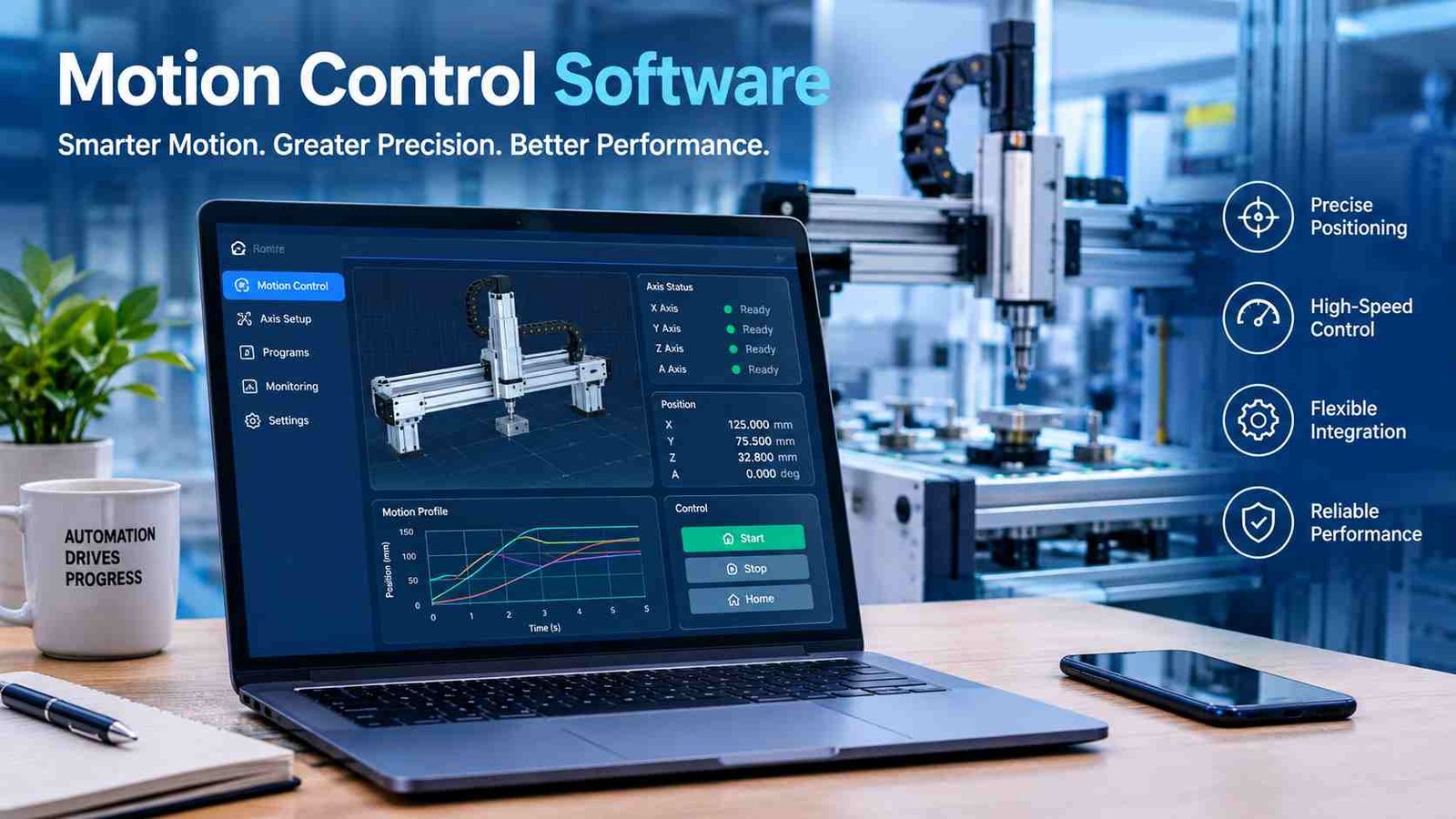
Motion control software is the digital brain behind modern automated machines. It helps factories, robots, CNC machines, and packaging equipment move with incredible speed and precision. Instead of relying on manual controls or mechanical adjustments, businesses use software to program accurate movement, synchronize multiple motors, and monitor machine performance in real time.
In today’s industrial world, automation is essential for producing high-quality products while reducing waste and downtime. Motion control software communicates with controllers, servo drives, and motors to ensure every movement follows an exact path, speed, and position. Whether it is a robotic arm assembling electronics or a CNC machine cutting metal, the software makes complex motion reliable and repeatable.
Many industries—including manufacturing, automotive, food processing, medical devices, textiles, and warehouse automation—depend on motion control technology to improve productivity and safety. This guide explains what motion control software is, how it works, its major features, different types, practical applications, and how to choose the best solution for your automation projects.
What Is Motion Control Software?
Motion control software is specialized software that controls the movement of motors and automated machines. It creates digital instructions that tell mechanical systems exactly how fast to move, where to stop, and how to coordinate multiple axes of motion. The goal is to achieve precise, repeatable, and efficient movement in industrial equipment.
In an automation system, the software works closely with motion controllers and servo drives. The software calculates movement commands, while the controller converts those commands into electrical signals for the motors. Servo drives regulate power delivery, allowing motors to accelerate, decelerate, and maintain accurate positioning.
Motion control software also integrates with PLCs (Programmable Logic Controllers), industrial PCs, sensors, and human-machine interfaces. This integration allows operators to program machines, monitor performance, receive alarms, and adjust production without changing mechanical components.
Precision motion is especially important in manufacturing because even a small positioning error can affect product quality. Industries producing electronics, medical equipment, automotive parts, and aerospace components rely on accurate motion control to maintain tight tolerances and consistent results.
How Motion Control Software Works?
Motion control software follows a structured workflow that transforms digital instructions into precise physical movement. Every stage contributes to accuracy, speed, and reliability.
Motion Planning
The process begins with motion planning. Engineers define movement paths, destination points, speed limits, acceleration, and deceleration. The software generates smooth trajectories that reduce vibration and improve machine performance.
Command Processing
After planning, the software sends commands to the motion controller using real-time communication. Deterministic processing ensures instructions are executed at predictable intervals, which is critical for high-speed automation.
Motor Control
The controller communicates with servo motors, stepper motors, or linear motors. Servo motors provide high precision with feedback, while stepper motors are commonly used for cost-effective positioning. Linear motors deliver direct linear movement without mechanical transmission.
Feedback Loop
Encoders continuously measure the actual motor position and send feedback to the controller. If the machine deviates from the planned path, the software immediately corrects the movement. This closed-loop system maintains excellent accuracy during operation.
Monitoring and Optimization
The software records alarms, detects faults, analyzes performance, and displays diagnostic information. Engineers can identify wear, communication errors, or tuning problems before they become costly machine failures.
Main Components of a Motion Control System
A complete motion control system combines software with intelligent hardware to create accurate machine movement.Motion control software provides programming, visualization, diagnostics, and trajectory generation. It serves as the interface where engineers configure machine behavior and optimize production processes.
The motion controller executes movement commands in real time. It processes trajectories, synchronizes multiple axes, and communicates with servo drives using industrial networks.
PLCs manage overall machine logic, safety sequences, and process automation. Many modern PLCs include integrated motion functions, allowing both machine control and motion control within one platform.
Servo drives regulate electrical power supplied to servo motors. They precisely control speed, torque, and position according to software instructions. Stepper motors are widely used in applications requiring economical positioning, while servo motors are preferred for high-speed and high-accuracy systems.
Encoders provide continuous position feedback, and sensors detect machine conditions such as limits, proximity, pressure, or object presence. Human-Machine Interfaces allow operators to start jobs, monitor alarms, and change settings through graphical screens. Industrial Ethernet protocols such as EtherCAT, PROFINET, EtherNet/IP, and CANopen connect all devices into one synchronized automation network.
Types of Motion Control Software
Different industries require different motion control platforms depending on machine complexity and performance requirements.
PLC-based motion software integrates motion directly into programmable logic controllers. It supports ladder logic and is widely used in packaging, conveyors, and assembly systems where machine logic and motion work together.PC-based motion control software uses industrial computers to deliver higher computing performance. It supports advanced visualization, complex algorithms, simulation, and flexible machine customization for sophisticated automation projects.
CNC motion software specializes in machine tools. It interprets G-code, controls cutting paths, manages spindle synchronization, and delivers highly accurate machining operations for milling, turning, and drilling equipment.
Robotics motion software focuses on robot path planning and coordinated multi-axis movement. It enables robotic arms to perform welding, assembly, palletizing, and inspection with exceptional precision.Embedded motion software is designed for dedicated OEM equipment. Manufacturers integrate it into custom machines where compact hardware, reliability, and consistent performance are essential.
Key Features of Motion Control Software
Modern motion control software includes powerful tools that improve machine accuracy, flexibility, and productivity.
One of the most valuable features is multi-axis synchronization, allowing several motors to move together with perfect timing. This is essential for gantry systems, robotic arms, and automated assembly equipment.
Servo drive configuration simplifies drive setup through parameter tuning, automatic calibration, and performance optimization. Engineers can reduce commissioning time while improving motion quality.
Advanced trajectory planning supports linear motion, circular interpolation, and smooth S-curve acceleration. These motion profiles reduce vibration, extend machine life, and improve product quality.
Electronic gearing and camming replace mechanical gears with virtual synchronization. Packaging machines, printing equipment, and labeling systems use these functions to coordinate rotating and linear motion without physical gear changes.Homing functions establish accurate reference positions during machine startup, ensuring repeatable positioning throughout production.
Many platforms include motion libraries based on PLCopen standards, offering pre-built function blocks for positioning, jogging, interpolation, and axis synchronization. Industrial network support—including EtherCAT, CANopen, PROFINET, and EtherNet/IP—ensures reliable communication between controllers and drives.
Real-time diagnostics provide alarm history, event logging, performance monitoring, and predictive maintenance insights. Simulation and virtual commissioning allow engineers to test machine behavior digitally before installing physical equipment, reducing development costs and startup risks.
Motion Profiles Explained
Motion profiles define how a machine moves during different operations. Choosing the correct profile improves efficiency, accuracy, and mechanical reliability.Point-to-point positioning moves an axis from one location to another as quickly as possible. It is commonly used in pick-and-place robots and automated storage systems.
Continuous path motion follows a complete trajectory while maintaining smooth movement. This profile is ideal for robotic welding and automated painting.Linear interpolation creates straight-line movement between coordinates, while circular interpolation generates precise curved paths for CNC machining and engraving.
Velocity mode controls motor speed regardless of position, making it suitable for conveyors and rollers. Torque mode regulates force instead of position and is often used in winding, tension control, and pressing applications.
Position mode focuses on reaching an exact destination with maximum accuracy, while jogging allows operators to manually move an axis during setup, maintenance, or machine calibration.
Closed-Loop vs Open-Loop Motion Control
Closed-loop and open-loop systems differ mainly in how they monitor motor position and correct errors.
| Feature | Closed Loop | Open Loop |
| Accuracy | Very high | Moderate |
| Feedback | Encoder feedback | No feedback |
| Cost | Higher | Lower |
| Applications | Robotics, CNC, automation | 3D printers, simple machines |
| Precision | Automatic correction | Fixed movement only |
Closed-loop systems continuously compare actual movement with the commanded position. If an error occurs, the controller immediately corrects it, making this approach ideal for precision manufacturing and high-speed automation.
Open-loop systems do not receive position feedback. They are more affordable and work well for applications where occasional positioning errors are acceptable and machine loads remain predictable.
Applications of Motion Control Software
Motion control software powers countless industrial applications by delivering accurate, repeatable movement across different sectors.
In manufacturing automation, it synchronizes assembly lines, conveyors, and inspection equipment. CNC machines use motion software to control cutting tools and produce highly accurate metal or plastic components.
Industrial robotics relies on coordinated multi-axis movement for welding, material handling, painting, and electronic assembly. Packaging equipment uses electronic camming to synchronize filling, sealing, labeling, and carton handling at high speeds.
Printing machines maintain precise registration between rollers, ensuring consistent image quality. In semiconductor manufacturing, nanometer-level positioning supports chip production and wafer handling.
Medical devices require accurate motion for laboratory automation, surgical equipment, and diagnostic systems. Textile machinery controls weaving, knitting, and fabric cutting with synchronized motor movement.
In food and beverage production, motion software operates filling lines, sorting machines, and automated packaging. Warehouse automation uses it to guide automated guided vehicles, palletizing robots, and high-speed storage systems, improving logistics efficiency and reducing manual labor.
Benefits of Motion Control Software
Implementing motion control software provides both technical and business advantages that improve overall manufacturing performance.
The most important benefit is higher precision. Accurate positioning reduces production errors and helps manufacturers maintain consistent product quality. Smooth trajectory planning also minimizes vibration and mechanical stress, extending equipment life.
Another major advantage is faster production. Automated motion reduces cycle times, allowing machines to complete repetitive tasks more efficiently than manual operations. As productivity increases, businesses can meet growing customer demand without sacrificing quality.
Motion control software also reduces waste by optimizing material usage and preventing positioning mistakes. Real-time diagnostics identify developing issues before they cause unexpected downtime, supporting predictive maintenance strategies.
Engineers benefit from easier machine programming through reusable motion libraries and standardized function blocks. Flexible software configuration makes it easier to modify production lines when introducing new products or changing manufacturing processes.
Finally, improved safety features—including controlled stopping, fault monitoring, and synchronized machine operation—create a safer workplace while reducing operating costs over the long term.
Motion Control Software vs PLC Programming
Although they often work together, motion control software and PLC programming serve different purposes within an automation system.
| Feature | Motion Control Software | PLC Programming |
| Primary purpose | Precise motor movement | Machine logic and sequencing |
| Motion precision | Very high | Basic to moderate |
| Programming | Motion functions and trajectories | Ladder, ST, FBD logic |
| Multi-axis support | Advanced synchronization | Limited without motion modules |
| Best use | Robotics, CNC, servo systems | General automation control |
A PLC manages sensors, safety interlocks, alarms, and production sequences, while motion control software focuses on generating accurate movement. Modern automation systems commonly combine both technologies, allowing the PLC to coordinate overall machine behavior while the motion platform delivers high-performance motor control.
Best Motion Control Software Solutions
Several established software platforms support different automation requirements. The right choice depends on hardware compatibility, programming preferences, and machine complexity.
| Software | Best For | Platform |
| Beckhoff TwinCAT | PC-based automation | Industrial PC |
| Siemens TIA Portal Motion | Factory automation | Siemens |
| Rockwell Studio 5000 | PLC motion | Allen-Bradley |
| Mitsubishi MELSOFT | Servo systems | Mitsubishi |
| Yaskawa MotionWorks | Robotics & servo | Yaskawa |
| NI Motion Control | Test & automation | NI |
Beckhoff TwinCAT is known for PC-based automation and strong EtherCAT integration. Siemens TIA Portal Motion combines PLC programming with advanced motion functions for factory automation. Rockwell Studio 5000 is widely used in Allen-Bradley production environments with integrated servo control. Mitsubishi MELSOFT supports high-performance servo applications, while Yaskawa MotionWorks specializes in robotics and coordinated motion. NI Motion Control is commonly used for laboratory testing, measurement systems, and precision automation projects.
How to Choose the Right Motion Control Software?
Selecting the right motion control software starts with understanding your machine requirements. The number of controlled axes is one of the first considerations. A simple conveyor may require only one or two axes, while robotic systems often need six or more synchronized motors.
Servo compatibility is equally important because software should fully support your existing drives and motor hardware. Industrial network support—including EtherCAT, PROFINET, CANopen, or EtherNet/IP—ensures reliable communication across the automation system.
Programming flexibility also matters. Platforms supporting Ladder Logic, Structured Text, and Function Block programming make development easier for different engineering teams. Built-in simulation tools reduce commissioning time by validating machine behavior before installation.
Safety functions, vendor support, software updates, and long-term scalability should also influence the decision. Choosing a platform that can grow with future production needs protects your investment and simplifies expansion.
Common Challenges and Troubleshooting
Even advanced motion control systems can experience operational issues. Communication failures often occur because of incorrect network configuration, damaged cables, or incompatible protocol settings. Checking device addresses and network diagnostics usually resolves these problems.
Encoder errors may produce inaccurate positioning. Cleaning encoder connections, verifying alignment, and replacing damaged feedback devices can restore precision. Servo tuning problems often cause vibration or unstable movement, making proper gain adjustment essential for smooth performance.
Network latency may reduce synchronization quality in high-speed systems. Using deterministic industrial Ethernet protocols helps maintain consistent timing between controllers and drives. Position drift can result from mechanical wear, loose couplings, or incorrect calibration.
Homing failures frequently occur when sensors are misaligned or reference switches malfunction. Firmware mismatches between controllers and drives may also create compatibility issues, so maintaining consistent software versions across the automation system is an important maintenance practice.
Best Practices for Implementing Motion Control Software
Successful implementation begins with careful planning. Engineers should design the axis architecture before selecting hardware, ensuring motors, drives, and controllers match the required motion performance.
Using standardized motion libraries reduces programming time and improves software consistency across multiple machines. Proper servo tuning is equally important because well-adjusted parameters improve positioning accuracy and reduce mechanical stress.
Simulation should be completed before physical commissioning whenever possible. Virtual testing identifies programming errors early and minimizes installation delays. Maintaining consistent firmware versions across controllers and drives helps prevent communication and compatibility problems.
Regular monitoring of diagnostic logs allows maintenance teams to detect abnormal behavior before failures occur. Preventive maintenance—including inspecting encoders, cables, and drive performance—extends equipment life. Finally, training operators and engineers ensures machines are used safely and software features are fully utilized.
Future Trends in Motion Control Software
Motion control software continues to evolve as factories become smarter and more connected. Artificial intelligence is beginning to optimize motion parameters automatically, improving speed, accuracy, and energy efficiency without constant manual tuning.
Digital twins allow engineers to create virtual copies of machines, making it possible to test upgrades and production changes before implementation. Virtual commissioning reduces project costs and accelerates machine deployment by validating software in a simulated environment.
Edge computing enables faster decision-making by processing motion data closer to the machine, while Industrial IoT connects controllers with cloud-based monitoring platforms for remote diagnostics and predictive maintenance.
Software-defined automation is making production lines more flexible by separating machine behavior from hardware limitations. Collaborative robotics will also expand, allowing humans and robots to work safely together through intelligent motion control and advanced sensing technologies.
Frequently Asked Questions
1. What is motion control software used for?
Motion control software is used to control motors, robotic systems, CNC machines, conveyors, packaging equipment, and other automated machinery with precise speed, position, and movement.
2. Can motion control software control multiple motors at once?
Yes. Most modern platforms support multi-axis synchronization, allowing several motors to move together accurately for robotics, gantry systems, and automated assembly lines.
3. Is motion control software suitable for small manufacturers?
Yes. Many scalable solutions support both small machines and large production lines, allowing businesses to start with basic automation and expand later.
4. Which communication protocols are commonly supported?
Popular industrial protocols include EtherCAT, PROFINET, EtherNet/IP, and CANopen. The supported protocol depends on the software and hardware platform.
5. How often should motion control software be updated?
Software should be updated during planned maintenance after verifying compatibility with controllers, servo drives, and machine firmware to avoid unexpected operational issues.
Conclusion
Motion control software is a critical technology for modern industrial automation. It combines intelligent programming with real-time motor control to deliver precise, reliable, and efficient machine movement across manufacturing, robotics, CNC machining, packaging, and many other industries.
By understanding motion planning, feedback systems, motion profiles, and industrial networking, businesses can choose solutions that match their production requirements. Whether you need a simple PLC-based system or an advanced multi-axis robotic platform, the right motion control software improves productivity, product quality, operational safety, and long-term scalability, making it a valuable investment for future-ready manufacturing.