Introduction
Software is an important part of almost every digital device we use today. From opening a web browser and writing a document to managing a business or playing a game, software helps computers and other devices perform useful tasks. If you are looking for examples of software, you will find many different programs designed for specific purposes. Some software manages the basic operations of a computer, while other programs help users communicate, create content, analyze data, or develop new applications.
Software is generally divided into three major categories: system software, application software, and programming software. Each category has a different role, but they work together to make digital devices useful. For example, an operating system manages the computer, a word processor helps you write, and a code editor allows developers to create programs.
In this guide, we will explore common software examples, explain what they do, and show how they are used in everyday life, education, business, healthcare, and other industries.
What Is Software?
Simple Definition of Software
Software is a collection of programs, instructions, and related data that tells a computer or digital device how to perform tasks. Unlike hardware, which includes physical components such as a keyboard, monitor, or processor, software is digital and cannot be physically touched.
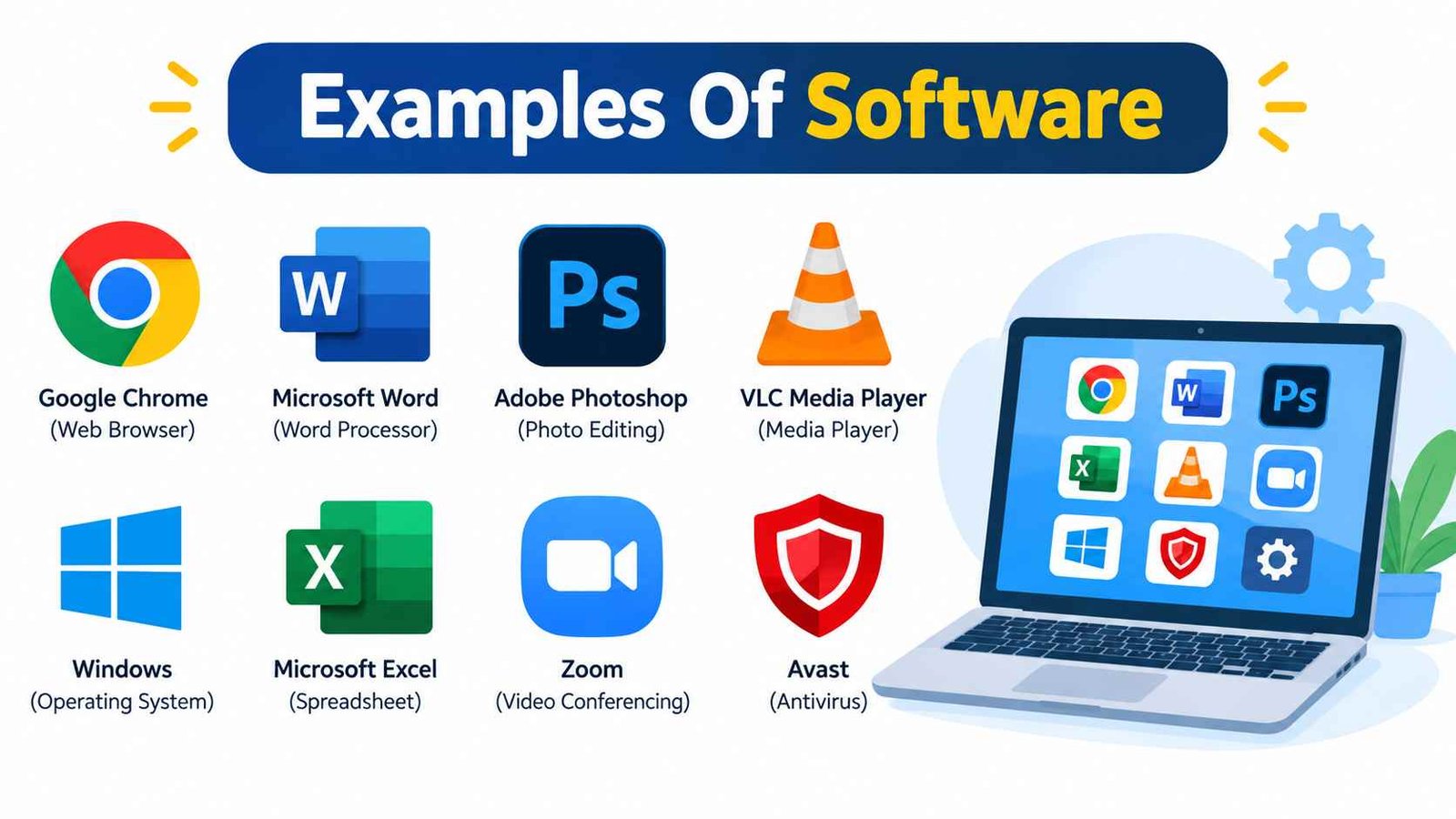
For example, Microsoft Word is software that allows users to create and edit documents. Google Chrome is software that helps people access websites, while a music player allows users to listen to audio files. These programs perform different tasks, but they all depend on instructions written into the software.
Software can be installed on a computer, downloaded onto a smartphone, accessed through a web browser or built into a device. Its purpose depends on the needs of the user and the environment in which it operates.
How Does Software Work?
Software works by sending instructions to a device’s hardware. When you open an application, the operating system loads the program and helps it use resources such as memory, storage, and the processor.
For example, when you open a web browser and visit a website, the browser processes your request, communicates with the internet, and displays the page on your screen. The operating system supports this process by managing the computer’s resources and connecting the application with the hardware.
Software vs. Hardware
Hardware refers to the physical parts of a device, while software refers to the programs and instructions that control or use those parts. A keyboard is hardware, but the word-processing program receiving your typed text is software. Similarly, a computer processor is hardware, while Windows is software that helps manage the computer.Both are necessary. Hardware provides the physical foundation, while software gives the device useful functions.
What Are the Main Types of Software?
Software can be grouped into several categories, but three broad types are commonly used to explain its basic structure: system software, application software, and programming software. Understanding these categories makes it easier to recognize different examples of software and their purposes.
| Software Type | Main Purpose | Examples |
| System software | Manages hardware and supports basic operations | Windows, Linux, Android |
| Application software | Helps users complete specific tasks | Word, Chrome, Photoshop |
| Programming software | Helps developers create and maintain programs | VS Code, Git, Visual Studio |
System Software
System software operates in the background and provides the foundation for other programs. It manages hardware, memory, files, and system resources. Operating systems, device drivers, firmware and utility programs are common examples.
Application Software
Application software is designed to help users perform particular tasks. These tasks may include writing documents, browsing the internet, editing photos, managing finances, attending online meetings or playing games.
Programming Software
Programming software is used by developers to create, test, debug, and maintain other software. Code editors, integrated development environments, compilers, interpreters, and version-control tools are examples of this category.
Examples of System Software
System software provides the foundation on which computers and other digital devices operate. It manages essential resources and allows application programs to function correctly. Although users may not always interact with it directly, it plays a vital role in almost every computing environment.
Operating Systems
An operating system manages a device’s hardware, files, memory, applications, and user interface. It allows users to interact with the computer and provides the environment in which other software runs.Common operating system examples include Microsoft Windows, macOS, Linux, Android, iOS and ChromeOS. Windows is widely used on personal and business computers, macOS runs on Apple computers, and Android and iOS power many smartphones and tablets.
Device Drivers
Device drivers allow an operating system to communicate with specific hardware components. For example, a printer driver helps the computer send printing instructions to a printer. Graphics drivers support display and graphics hardware, while audio and network drivers help devices communicate with sound systems and networks.
Without the correct driver, hardware may not work properly or may offer only limited functionality.
Firmware
Firmware is software stored on or closely associated with hardware. It controls specific device functions and often helps a device start or operate correctly. Examples include BIOS or UEFI firmware in computers, router firmware, and software built into smart devices.
Utility Software
Utility software helps maintain, protect, or manage a computer. Antivirus programs, backup tools, disk-cleanup utilities, file-compression programs, and system-monitoring tools are common examples. These programs support security, performance, storage management, and routine maintenance.
Examples of Application Software
Application software is the type most people use directly every day. It helps users complete specific tasks at home, at school, at work, and in businesses. The following categories show how application software supports different needs.
Word Processing Software
Word-processing programs are used to create, edit, format, save, and print documents. Students use them for assignments, while businesses use them for reports, letters, proposals, and other written materials.
Examples: Microsoft Word, Google Docs, Apple Pages, and LibreOffice Writer.
Spreadsheet Software
Spreadsheet software organizes information into rows and columns. It is useful for calculations, budgets, charts, financial records, and data analysis. Users can apply formulas to process information and create reports.
Examples: Microsoft Excel, Google Sheets, Apple Numbers, and LibreOffice Calc.
Presentation Software
Presentation programs help users create slideshows for meetings, lessons, training sessions, and public speaking. They often include features for adding text, images, charts, video, and animations.
Examples: Microsoft PowerPoint, Google Slides, Apple Keynote, and Canva Presentations.
Database Management Software
Database software stores, organizes, searches, and manages structured information. Businesses may use it to maintain customer records, inventory, employee details, or transaction data. Developers also use database systems to support websites and applications.
Examples: Microsoft Access, MySQL, PostgreSQL, Oracle Database, and Microsoft SQL Server.
Web Browser Software
Web browsers allow users to access websites, search for information, use online services, and interact with web applications. They interpret web content and display it in a usable format.
Examples: Google Chrome, Mozilla Firefox, Microsoft Edge, Safari, and Opera.
Communication and Collaboration Software
Communication software helps people exchange messages, make voice or video calls, share files, and work together remotely. These tools are especially useful for distributed teams, online classes, and virtual meetings.
Examples: Zoom, Microsoft Teams, Slack, WhatsApp, Google Meet, and Discord.
Graphic Design and Photo Editing Software
Graphic design and photo-editing programs are used to create, improve, and modify visual content. Designers may use them for logos, illustrations, advertisements, social media graphics, and photographs.
Examples: Adobe Photoshop, Adobe Illustrator, CorelDRAW, Canva, GIMP, and Figma.
Video and Audio Editing Software
Multimedia software helps users record, edit, mix, and publish audio or video. It is used by content creators, filmmakers, musicians, teachers, and businesses producing digital media.
Examples: Adobe Premiere Pro, DaVinci Resolve, Final Cut Pro, Audacity, Adobe Audition, and VLC Media Player.
Accounting and Financial Software
Accounting software helps individuals and businesses manage financial activities. Its features may include invoicing, expense tracking, payroll, budgeting, tax preparation, and financial reporting.
Examples: QuickBooks, Xero, FreshBooks, Wave Accounting, and other financial management platforms.
Project Management Software
Project management tools help teams organize work, assign responsibilities, track deadlines, and monitor progress. They are useful for software development, marketing, construction, education, and many other fields.
Examples: Trello, Asana, Monday.com, Jira, ClickUp, and Microsoft Project.
CRM and ERP Software
Customer relationship management (CRM) software helps businesses manage customer information, sales activities, communication, and support. Examples include Salesforce, HubSpot CRM, Zoho CRM, and Microsoft Dynamics 365.
Enterprise resource planning (ERP) software connects business functions such as finance, purchasing, inventory, and human resources. Examples include SAP S/4HANA, Oracle NetSuite, Microsoft Dynamics 365, and Odoo.
Educational, Entertainment and AI Software
Educational software supports learning, practice, assessment, and classroom management. Examples include Moodle, Google Classroom, Khan Academy, Duolingo, and Anki.
Entertainment software includes games, music, movies, and streaming services. Examples include Minecraft, Roblox, Steam, Spotify, and Netflix.
AI software can help users generate content, analyze information, automate tasks, and receive digital assistance. Examples include ChatGPT, Google Gemini, Microsoft Copilot, AI transcription tools, and AI analytics platforms.
Examples of Programming Software
Programming software helps developers build and maintain applications, websites, operating systems, and other digital products. Unlike application software, which is mainly designed for end users, programming tools are focused on creating and managing code.
Code Editors and IDEs
Code editors allow developers to write and modify source code. Visual Studio Code, Sublime Text, Notepad++, Vim, and Emacs are popular examples.
Integrated development environments (IDEs) combine coding, debugging, testing, and project-management features in one workspace. Examples include Microsoft Visual Studio, IntelliJ IDEA, Eclipse, PyCharm, Android Studio, and Xcode.
Compilers, Interpreters and Version-Control Tools
Compilers translate source code into another form that can be executed or used to create executable programs. GCC and Clang are examples of compiler tools. Interpreters and runtimes, such as the Python interpreter and Node.js runtime, support the execution of code in their respective environments.
Version-control software tracks changes in code and helps developers collaborate. Git is the most widely recognized example, while Apache Subversion and Mercurial are other version-control systems.
Frameworks and development tools, such as React, Angular, Django, .NET, Spring, and Flutter, also help developers build applications more efficiently.
Examples of Software by Industry and Use
Software is used in almost every industry because different organizations need tools to manage information, automate tasks, communicate, and deliver services.
In education, learning management systems, online classrooms, language-learning apps, and assessment tools support teachers and students. Moodle, Google Classroom, and Duolingo are familiar examples.
In healthcare, software supports electronic health records, hospital management, medical imaging, appointment scheduling, and telemedicine. These systems help healthcare organizations organize information and improve workflows.
In business and finance, companies use accounting platforms, CRM systems, ERP software, payroll tools, and financial analysis programs. These applications help manage money, customers, employees, and daily operations.
In retail and e-commerce, software supports online stores, inventory management, point-of-sale systems, payment processing, and customer analytics. Shopify, WooCommerce, and Square are examples of platforms used in this area.
In engineering and design, professionals use CAD software, 3D modeling tools, simulation programs, and technical analysis applications. AutoCAD, SolidWorks, Blender, and MATLAB are common examples.
In communication and media, organizations rely on video-conferencing tools, content management systems, social platforms, and multimedia editors to create and share information.
Open-Source vs. Proprietary Software Examples
Software can also be classified by how its source code is licensed and distributed. This distinction is important because it affects how users can access, modify, and share a program.
What Is Open-Source Software?
Open-source software is released under a license that makes its source code available for specific uses, modification, and redistribution. The exact permissions depend on the license. Open-source projects may be free to use, but they can also offer paid services, support, or enterprise editions.
Examples include Linux, Mozilla Firefox, LibreOffice, GIMP, Blender, and VLC Media Player.
What Is Proprietary Software?
Proprietary software is controlled by an individual or organization. Its source code is generally not available for unrestricted modification, and its use may be governed by a commercial license or terms of service.
Examples include Microsoft Windows, Microsoft Office, Adobe Photoshop, AutoCAD, and Final Cut Pro.
| Feature | Open-Source Software | Proprietary Software |
| Source code | Available under its license | Usually not publicly available |
| Modification | Allowed according to license | Usually restricted |
| Cost | May be free or paid | Often paid or subscription-based |
| Support | Community or commercial support | Usually vendor-provided |
| Examples | Linux, GIMP, Blender | Windows, Photoshop, Office |
Free, Paid and Subscription-Based Software
Another way to understand software is by its pricing model. Some programs are free to use, while others require a one-time purchase, recurring subscription, or payment for advanced features.
Free software can be used without paying, although it may have limitations or specific terms. For example, VLC Media Player is available at no cost, while some online tools provide free basic access. However, free does not automatically mean open-source.
Paid software requires a purchase or license fee. Professional design, engineering, accounting, and business tools often use this model.
Subscription-based software requires regular payments, usually monthly or annually. Microsoft 365, Adobe Creative Cloud, and Salesforce are examples of software commonly offered through subscription plans.
Freemium software provides basic features for free but charges for advanced tools, additional storage, or premium services. Canva, Zoom, Dropbox, and Notion use versions of this model.
Desktop, Web, Mobile and Embedded Software
Software can also be classified by where it runs. Desktop software is installed and used on personal computers. Microsoft Word, Adobe Photoshop, and VLC Media Player are examples.
Web-based software is accessed through a browser, often without installing a traditional desktop application. Gmail, Google Docs, Shopify, and Canva are examples of web-based tools.
Mobile software is designed for smartphones and tablets. WhatsApp, Google Maps, Instagram, and mobile banking applications are common examples.
Embedded software is built into devices and machines to control specific functions. It can be found in washing machines, cars, smart TVs, routers, medical devices, and industrial equipment. Unlike general-purpose applications, embedded software is often designed for a particular device or task.
How to Choose the Right Software?
Choosing the right software starts with understanding your actual needs. First, identify the task you want to complete. Someone writing documents may need a word processor, while a business managing customers may need CRM software.
Next, check compatibility with your operating system and device. Some programs work only on specific platforms, while others are available through a web browser or mobile app. Features and ease of use also matter. A beginner may prefer a simple interface, while a professional may need advanced controls.
Cost and licensing should also be reviewed carefully. Compare free versions, one-time purchases, subscriptions, and additional charges. Finally, consider security, privacy, updates, customer support, and user reviews. A free tool may not be the best choice if it lacks important features or reliable support.
Why Is Software Important in Everyday Life?
Software makes modern technology useful and helps people complete tasks more quickly and efficiently. It supports communication through messaging apps and video calls, improves productivity through office tools, and enables learning through educational platforms.
Businesses use software to manage customers, finances, employees, inventory, and daily operations. Healthcare providers use it to organize records and coordinate services. Creative professionals use design, audio, and video tools to produce content, while developers use programming software to build new digital solutions.
Software also supports automation, data management, online shopping, entertainment, and remote collaboration. In simple terms, hardware provides the physical equipment, but software tells that equipment how to perform useful functions.
Frequently Asked Questions
1. What are five common examples of software?
Five common examples are Microsoft Windows, Microsoft Word, Google Chrome, Adobe Photoshop and Visual Studio Code. They represent system, application, and programming software.
2. What are the three main types of software?
The three commonly recognized types are system software, application software, and programming software. Each serves a different purpose in computing.
3. Is Google Chrome system software or application software?
Google Chrome is application software because it helps users browse websites and access online services. It does not manage the computer’s basic hardware resources like an operating system does.
4. What is the difference between free software and open-source software?
Free software can be used without paying, but it is not always open-source. Open-source software provides source-code access under a license that allows certain uses, modifications or redistribution.
5. How do I know which software is best for my needs?
Choose software based on your task, device compatibility, required features, budget, security and ease of use. A free trial or demo can help you test whether it meets your needs.
Conclusion
Software is the foundation of modern digital activities, from basic computer operations to business management and entertainment. The main categories include system software, application software, and programming software, each serving a different purpose. Common examples of software include Windows, Microsoft Word, Chrome, Photoshop, Git and many industry-specific tools. Software can also be classified as open-source, proprietary, free, paid, desktop, web-based, mobile, or embedded. Understanding these categories makes it easier to identify the right program for a particular task and choose software that fits your needs, device, budget and level of experience.