Introduction
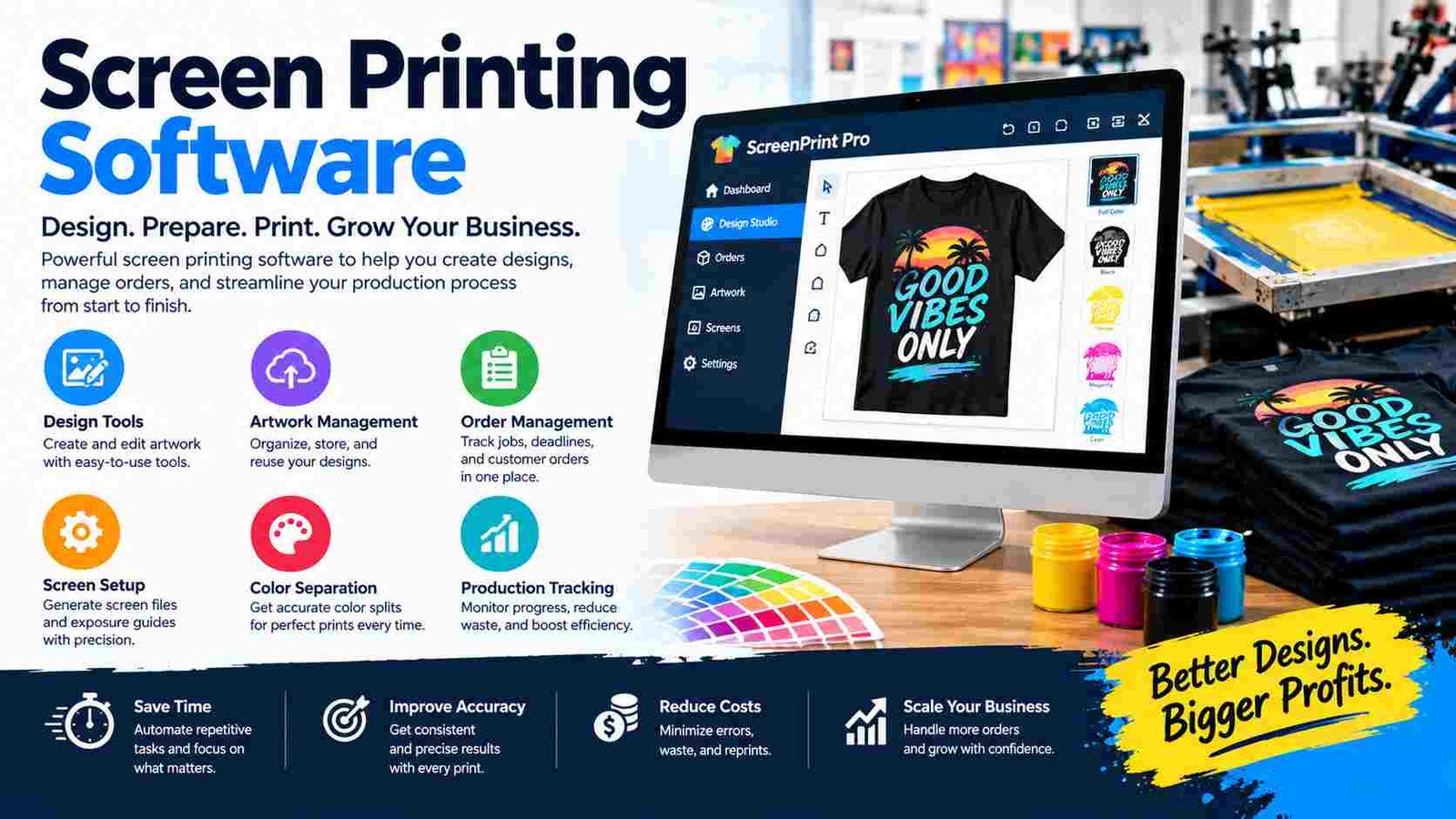
Screen printing software is a digital solution that helps print shops manage everything from customer orders and artwork to production schedules, inventory, and invoicing. Instead of relying on paper forms, spreadsheets, or scattered email conversations, businesses can organize their entire workflow in one place.
Modern apparel printing companies handle hundreds of custom T-shirts, uniforms, promotional products, and merchandise orders every month. Managing these jobs manually often leads to missed deadlines, lost artwork, pricing mistakes, and slow customer communication. As businesses grow, these problems become even more expensive. Screen printing software improves speed, accuracy, and customer satisfaction by automating repetitive tasks and giving every department access to the same information. Designers, sales teams, production staff, and customers can collaborate more efficiently throughout the printing process.
Whether you operate a small custom T-shirt shop or a large commercial printing business, this guide explains how screen printing software works, its essential features, different software types, leading solutions and how to choose the best system for your business.
What Is Screen Printing Software?
Screen printing software is a specialized business management and production tool designed for companies that create printed apparel and promotional products. It combines customer management, artwork organization, job scheduling, pricing, inventory and invoicing into a single workflow.
Definition and purpose
The primary purpose of screen printing software is to simplify complex production processes. Instead of tracking orders through notebooks or multiple spreadsheets, every job is stored digitally with its artwork, garment details, customer notes, production status, and payment information.
How does it support apparel decoration businesses?
Custom apparel businesses often produce unique designs for every customer. The software helps organize logos, mockups, garment colors, print locations, and quantity variations, making it much easier to produce accurate orders consistently.
Design software vs shop management software
Design software focuses on creating artwork, while shop management software focuses on running the business. Programs like Adobe Illustrator create vector designs, whereas platforms like Printavo or InkSoft help manage quotes, approvals, scheduling, inventory, and customer communication. Many successful print shops use both together for a complete workflow.
These solutions are valuable for custom T-shirt printers, promotional product companies, corporate uniform suppliers, fashion brands, and merchandise businesses that handle personalized orders every day.
How Screen Printing Software Works (Complete Workflow)
A successful print job follows several connected stages. Screen printing software keeps every step organized so nothing is overlooked.
Complete production workflow
The process begins with a customer inquiry, where garment types, quantities, colors, and printing locations are collected. The software automatically generates accurate quotations based on pricing rules and labor costs.
Next comes artwork creation. Designers upload vector files, create mockups, and prepare print-ready graphics. Customers receive digital proofs through an approval portal, allowing revisions before production begins.
After approval, the order moves into production scheduling. Managers assign jobs to specific machines, prioritize rush orders, and organize daily workloads. During printing, operators can access artwork, ink colors, garment sizes, and production notes directly from the system.
Finally, completed orders pass through quality inspection before packing and shipping. Invoices, payment records, and delivery information remain attached to the job, creating a complete digital history for future repeat orders. This connected workflow reduces errors and improves communication across every department.
Key Features of Screen Printing Software
The strength of screen printing software lies in its ability to combine multiple business functions into one organized platform.Order management allows businesses to track every job from quotation to delivery. Employees can instantly view order status, customer history, garment specifications, and production progress without searching through emails.
Quoting and estimating automatically calculate garment costs, decoration charges, setup fees, and quantity discounts. This improves pricing consistency and helps sales teams create professional quotes quickly.Artwork management stores vector graphics, customer logos, previous mockups, and print-ready files in a searchable library. Designers no longer waste time locating artwork from old projects.
Art approval portals simplify communication by allowing customers to review proofs, request revisions, and approve artwork digitally. This creates a clear approval record and reduces misunderstandings.
Production scheduling includes drag-and-drop calendars, machine assignments, and workload planning, helping shops balance multiple jobs efficiently. Inventory management tracks blank garments, ink stock, screens, and supplies, preventing shortages during production.
The software also includes CRM features for customer communication, invoicing and payment tracking for financial management, and analytics dashboards that measure sales, profit margins, and production efficiency. Together, these features create a complete operational system for growing print businesses. Many leading platforms combine these capabilities into integrated shop management workflows.
Types of Screen Printing Software
Not every business needs the same type of software. The best choice depends on company size, workflow, and production goals.Print shop management software is the most comprehensive option. It manages orders, scheduling, customers, inventory, and invoicing, making it ideal for established print shops handling many daily jobs.
Screen printing design software focuses on artwork creation. Designers use these programs to create vector graphics, separate colors, and prepare files for printing. They are essential for creative teams but do not replace business management tools.
Online web-to-print software allows customers to design products, select garments, upload logos, and place orders through an online store. This is especially useful for businesses selling custom apparel directly to consumers.
Production workflow software emphasizes factory operations by organizing machine schedules, employee assignments, quality control, and production timelines. Large shops benefit from improved efficiency and better resource planning.
Enterprise print management systems serve high-volume commercial printers with multiple departments, advanced reporting, accounting integrations, and complex inventory control. These systems support large organizations that require detailed operational visibility across several production locations.
Choosing the correct category helps businesses avoid paying for unnecessary features while ensuring their workflow remains efficient as they grow.
Benefits of Using Screen Printing Software
Implementing screen printing software offers practical improvements across every part of a print business. The biggest advantage is faster job processing. Automated quotes, digital approvals, and organized production schedules reduce the time spent on administrative tasks, allowing employees to focus on production and customer service.
Another major benefit is fewer production errors. Because artwork, garment details, quantities, and printing instructions are stored together, operators are less likely to print incorrect sizes or colors. This reduces waste and costly reprints.
Team collaboration also improves significantly. Sales representatives, designers, production managers, and warehouse staff all access the same job information in real time. Instead of asking for updates through phone calls or emails, everyone works from one centralized system.
Customers enjoy a better experience through faster responses, professional quotations, online proof approvals, and accurate delivery updates. Happy customers are more likely to place repeat orders and recommend the business to others.
Finally, screen printing software increases profitability by reducing manual work, improving scheduling, minimizing inventory shortages, and providing valuable reports on sales and production performance. As businesses expand, the software becomes an essential tool for managing higher order volumes without increasing administrative complexity.
Screen Printing Software vs Traditional Manual Workflow
The difference between manual processes and digital workflow is clear when comparing daily operations.
| Feature | Manual Process | Screen Printing Software |
| Quotes | Created manually | Automated pricing |
| Artwork | Stored in email folders | Centralized library |
| Scheduling | Whiteboard or paper | Digital calendar |
| Order tracking | Paper records | Real-time updates |
| Customer approvals | Email chains | Online approval portal |
| Reporting | Manual spreadsheets | Instant analytics |
Digital workflow reduces repetitive work and provides better visibility into every production stage. Instead of searching through paper documents or multiple folders, employees can locate complete job information within seconds, improving both productivity and customer satisfaction.
Best Screen Printing Software Solutions
Several software platforms are widely recognized for helping screen printing businesses manage different parts of their workflow. Each focuses on slightly different strengths, making them suitable for different business models.
Printavo
Printavo is designed primarily for print shop management. It offers order tracking, production scheduling, customer management, invoicing, and reporting. It is particularly useful for businesses that want to organize daily operations in one cloud-based system.
InkSoft
InkSoft focuses on online selling and customer ordering. Its web-to-print features allow customers to design products, upload artwork, and purchase custom apparel through an integrated e-commerce experience.
GraphicsFlow
GraphicsFlow supports the creative side of production with artwork libraries, mockup creation, vector graphics management, and proof generation. It helps designers produce consistent visual presentations for customers.
Other alternatives
Other well-known options include PrintVis, DecoNetwork, OnSite, and ShopWorks. These platforms vary in pricing, integrations, and production features, so businesses should compare them based on workflow rather than popularity alone.
Essential Design Tools Used with Screen Printing Software
Although screen printing software manages business operations, professional artwork still requires dedicated design applications.Adobe Illustrator is widely used because it creates scalable vector graphics that remain sharp at any print size. Logos, typography, and detailed illustrations can be resized without losing quality.
CorelDRAW is another popular design program, especially among apparel decorators. It provides powerful illustration tools and efficient vector editing for custom garment artwork.Vector formats such as AI, EPS, PDF, and SVG are preferred because they produce clean edges and accurate color separations during screen printing. Unlike raster images, vector graphics maintain high quality regardless of enlargement.
Color separation tools prepare artwork for multi-color printing by separating each ink color into individual layers. Accurate separations improve print quality and reduce setup errors during screen preparation. Using professional design tools alongside screen printing software creates a reliable workflow from artwork creation to final production.
Industries That Use Screen Printing Software
Screen printing software supports a wide range of businesses beyond traditional T-shirt printing. Custom apparel companies use it to manage personalized clothing orders for individuals and organizations. Sportswear manufacturers organize team uniforms with multiple player names, numbers, and size variations.
Corporate uniform suppliers rely on digital workflow to handle recurring orders for businesses, hotels, restaurants, and healthcare organizations. Promotional merchandise companies use the software to produce branded bags, hats, hoodies, and marketing products for events and corporate campaigns.
School apparel printers manage seasonal spirit wear, graduation shirts, and fundraising merchandise with organized customer portals and online ordering. Fashion brands use production scheduling and inventory tools to coordinate limited-edition collections and retail merchandise.
Many embroidery and direct-to-film (DTF) businesses also combine their services with screen printing. Modern shop management platforms allow these hybrid businesses to manage multiple decoration methods within one customer and production system, making operations much more efficient.
How to Choose the Best Screen Printing Software?
Selecting the right screen printing software starts with understanding your business needs. Small print shops may prioritize affordability and ease of use, while larger companies often require advanced scheduling, inventory control, and detailed reporting.
Cloud-based software offers remote access, automatic updates, and easier collaboration across multiple devices. Desktop software may provide offline access, but it usually requires local installation and manual maintenance.
Ease of use is another important factor. Employees should be able to learn the system quickly without extensive technical training. A clean interface saves time and reduces mistakes during busy production periods.
Integration capabilities matter because many businesses already use accounting software, Shopify stores, shipping services, or payment gateways. Choosing software that connects with existing tools eliminates duplicate data entry.
Finally, compare pricing models carefully. Some platforms charge monthly subscriptions, while others offer feature-based plans. Reliable customer support, onboarding resources, and regular software updates can be just as valuable as the feature list itself.
Buyer checklist
- Cloud or desktop deployment
- Easy quoting and order tracking
- Artwork approval portal
- Inventory management
- Accounting and e-commerce integrations
- Reliable customer support
Common Challenges and How Software Solves Them
Growing print shops face operational challenges that can reduce productivity and customer satisfaction. Screen printing software addresses many of these issues through automation and centralized information.
Missed deadlines often happen when production schedules are managed on paper. Digital calendars and priority scheduling provide better visibility into upcoming jobs and employee workloads.
Lost artwork is another common problem. Instead of searching through email attachments, designers can access organized artwork libraries containing previous customer files, logos, and approved mockups.
Incorrect garment quantities become less frequent because inventory and order details remain synchronized. Staff can verify available stock before production begins, reducing costly shortages.
Approval delays are solved through customer proofing portals where clients review and approve artwork online. Every revision is documented, creating a clear communication history.
Poor production visibility affects many businesses using disconnected systems. Screen printing software gives managers real-time updates on every job, helping them identify delays, monitor productivity, and improve overall workflow without relying on constant manual follow-ups.
Integrations That Improve Workflow
Modern screen printing software becomes even more valuable when connected with other business tools. Integrations reduce manual data entry and create a smoother customer experience.
Accounting software automatically transfers invoices, payments, and financial records, reducing bookkeeping work. Shopify and other e-commerce platforms allow online orders to flow directly into production without retyping customer information.
Payment gateways simplify deposits and online invoice collection, while shipping carrier integrations generate labels and tracking numbers directly from completed orders. Inventory systems keep garment availability updated across purchasing and production, helping prevent stock shortages.
Email automation also improves customer communication by sending order confirmations, artwork approval requests, production updates, and delivery notifications automatically. These connected workflows save time and create a more professional experience for both employees and customers.
Future Trends in Screen Printing Software
The screen printing industry continues to adopt smarter digital technologies. AI-assisted artwork tools are beginning to help designers generate layouts, remove backgrounds, and prepare graphics more efficiently. While human creativity remains essential, automation can reduce repetitive editing work.
Automated production planning is becoming more intelligent by analyzing machine availability, employee schedules, and delivery deadlines to optimize job sequencing. Cloud collaboration allows sales teams, designers, and production staff to work together from different locations without losing access to real-time information.
Mobile shop management is another growing trend. Business owners can approve artwork, monitor production, check sales reports, and communicate with customers directly from smartphones or tablets.
Smart analytics and forecasting help companies identify profitable products, seasonal demand, and production bottlenecks using historical business data. These innovations make screen printing software not only a management tool but also a strategic platform for long-term business growth.
Frequently Asked Questions
1. What is screen printing software used for?
Screen printing software helps businesses manage customer orders, artwork, production schedules, inventory, invoicing, and reporting in one centralized system.
2. Can screen printing software handle repeat customer orders?
Yes. Most systems save customer history, previous artwork, garment details, and pricing, making repeat orders much faster to process.
3. Is screen printing software useful for online custom T-shirt stores?
Yes. Many platforms include web-to-print features that allow customers to design products, upload logos, and place orders through an online store.
4. Does screen printing software improve inventory accuracy?
Yes. It tracks blank garments, ink supplies, and screen inventory, helping businesses avoid shortages and reduce material waste.
5. Can small print shops benefit from screen printing software?
Absolutely. Even small businesses save time by automating quotes, organizing artwork, tracking orders, and providing professional customer communication.
Conclusion
Screen printing software has become an essential tool for modern apparel and promotional product businesses. It replaces manual paperwork with a connected digital workflow that manages quotes, artwork, customer approvals, production scheduling, inventory, and invoicing from one platform. Whether you operate a small custom T-shirt shop or a growing commercial print company, the right software can reduce errors, improve customer satisfaction, and increase overall productivity. By choosing a solution that matches your business size, workflow, and integration needs, you can build a more organized, efficient, and profitable screen printing operation for the future.