Introduction
Modern businesses no longer rely on paper attendance sheets, handwritten visitor books, or manual equipment registers. Instead, they use check in check out software to record when employees, visitors, guests, or valuable assets enter and leave a workplace. This digital approach improves accuracy, saves time, and provides real-time visibility that traditional methods simply cannot offer.
Whether it is an office tracking employee attendance, a hotel managing guest arrivals, a construction company monitoring field workers, or a school recording visitor entry, digital check-in systems help organizations operate more efficiently. They also reduce human error, strengthen workplace security, and create reliable records for payroll, compliance, and reporting.
In this guide, you will learn what check in check out software is, how it works, the different types available, essential features, business benefits, industry use cases, popular software solutions and practical tips for choosing the right system for your organization.
What Is Check In Check Out Software?
Check in check out software is a digital system that records the arrival and departure of people or assets. Instead of writing names in a register or maintaining spreadsheets, users check in through a mobile app, tablet, kiosk, desktop computer, or web portal. The software automatically stores the date, time, user identity, and sometimes location for every check-in and check-out.
The biggest difference between manual and digital tracking is automation. Paper records are difficult to search, easy to lose, and often contain mistakes. Digital systems instantly save information, generate reports, and allow managers to monitor activity in real time. This makes attendance management, visitor registration, and equipment tracking much more reliable.
Most modern solutions are cloud-based, meaning data is stored securely online and can be accessed from multiple locations. Cloud software also offers automatic backups, remote management, and easier software updates. On-premise systems, on the other hand, store data on a company’s local servers. They may suit organizations with strict internal IT policies, but they usually require more maintenance.
As workplaces become more mobile and security-focused, check in check out software has become an essential business tool for improving accountability, visibility, and operational efficiency.
How Does Check In Check Out Software Work?
The software follows a simple but highly organized process that records every movement accurately while creating a permanent digital history.
Step 1 — User Identification
Every check-in begins by identifying the user. Depending on the organization, this could be an employee, visitor, contractor, hotel guest, student, or even a company asset. Identification methods vary and include QR codes, barcode scanners, RFID cards, NFC badges, PIN codes, and biometric options such as fingerprint or facial recognition. The goal is to verify identity quickly while preventing unauthorized access.
Step 2 — Check-In Process
Once identified, the user checks in using a preferred device. Many businesses use tablets at reception, while others allow employees to clock in through a mobile app. Hotels may provide self-service kiosks, and remote teams often use web portals. The software immediately records the event without requiring manual data entry.
Step 3 — Real-Time Tracking
After check-in, the system creates a live attendance record with an accurate timestamp. Some platforms also record GPS location and use geofencing to confirm that users are physically present at the correct job site. Managers can view current occupancy, active employees, or visitors through real-time dashboards.
Step 4 — Check-Out and Record Storage
Users complete their session by checking out manually or automatically at a scheduled time. Every activity is stored in an audit trail that includes timestamps, identity details, and historical reports. These records are valuable for payroll, compliance audits, productivity analysis, and security investigations.
Types of Check In Check Out Software
Different industries require different versions of check in check out software, so choosing the right type depends on your daily workflow rather than simply selecting the most popular product.
Employee Attendance Software
Employee attendance systems are designed for workforce management. They track clock-in and clock-out times, monitor shifts, calculate working hours, and integrate directly with payroll systems. These platforms are especially useful for offices, factories, retail stores, and remote teams that need accurate timekeeping.
Visitor Management Software
Visitor management software focuses on reception and workplace security. Guests register digitally, receive printed badges, and automatically notify their host upon arrival. Digital visitor logs replace paper books while creating searchable records for safety and compliance.
Asset Check In Check Out Software
Organizations that lend laptops, tools, cameras, medical equipment, or warehouse inventory use asset checkout software. Employees can borrow equipment using QR codes or RFID tags, making it easier to track responsibility and reduce losses.
Hotel and Property Check-In Software
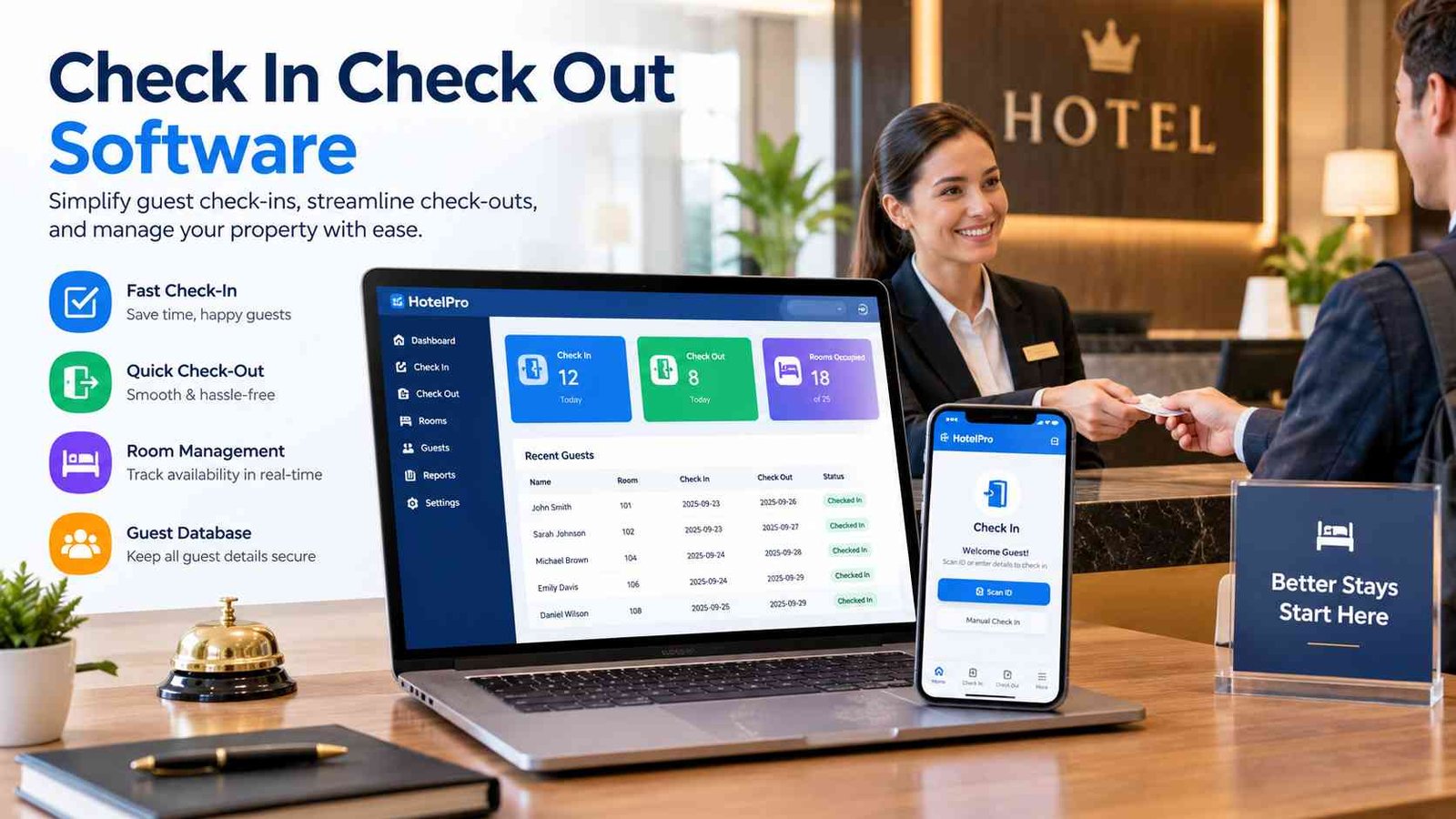
Hotels and serviced apartments use specialized systems for guest arrivals, room assignments, digital key access, and contactless checkout. These solutions improve guest experience while reducing waiting time at reception.
Event Check-In Software
Event organizers use ticket scanning and QR code validation to register attendees quickly. Real-time attendance monitoring helps manage capacity and provides valuable event analytics after the program ends.
Key Features of Check In Check Out Software
The value of check in check out software comes from the features that simplify daily operations while improving security and reporting.Mobile check-in and check-out allow employees and visitors to register from smartphones, making the software ideal for remote and field teams. QR code and barcode scanning provide fast identification without typing personal details, while RFID and NFC technology enable touchless access through smart cards or badges.
Biometric authentication offers higher security by verifying fingerprints or facial recognition, helping prevent buddy punching and unauthorized attendance. GPS and geofencing ensure that remote workers clock in only from approved locations, making field workforce tracking more accurate.
Digital visitor registration creates professional reception experiences by collecting visitor information electronically. Badge printing improves identification inside offices, hospitals, and schools. Shift scheduling integration automatically compares planned schedules with actual attendance, reducing payroll errors.
Managers also benefit from real-time dashboards, instant notifications, detailed audit logs, and advanced reporting. Multi-location management allows companies to monitor several offices from one platform, while offline mode ensures attendance continues even without internet access. Finally, cloud data backup protects important records through secure automatic storage and recovery.
Benefits of Using Check In Check Out Software
Implementing check in check out software delivers measurable improvements across productivity, security, payroll, and customer experience.The first major benefit is attendance accuracy. Automated timestamps eliminate handwriting mistakes and incorrect manual entries. Businesses also reduce human error because the system records data instantly rather than relying on spreadsheets or paper forms.
Another important advantage is preventing buddy punching, where one employee clocks in for another. Biometric verification and personal QR codes make fraudulent attendance much more difficult. Administrative teams also save valuable time because attendance reports, working hours, overtime, and payroll calculations are generated automatically.
Security improves significantly through visitor tracking and access records. Organizations always know who is inside the building, when they arrived, and when they left. This information becomes essential during emergencies, audits, or workplace investigations.
Visitors enjoy a faster, more professional reception experience through self-service registration and automatic host notifications. Payroll departments receive accurate attendance records, reducing disputes and improving salary processing. Compliance also becomes easier because historical records remain searchable for months or years.
Overall, businesses achieve higher operational efficiency by replacing repetitive manual tasks with automated workflows, allowing managers to focus more on people and performance rather than paperwork.
Industries That Use Check In Check Out Software
Although the technology is similar, every industry uses check in check out software for different operational goals.
| Industry | Primary Use |
| Offices | Employee attendance |
| Construction | Field workforce tracking |
| Schools | Student and visitor logging |
| Hospitals | Staff and visitor management |
| Hotels | Guest check-in and check-out |
| Warehouses | Equipment tracking |
| Manufacturing | Shift management |
| Events | Guest registration |
Offices mainly focus on attendance and payroll, while construction companies rely on GPS verification for workers across multiple job sites. Schools and hospitals prioritize visitor safety and emergency records. Hotels use digital guest registration to improve customer experience, whereas warehouses and manufacturing facilities depend on equipment and shift tracking. Event organizers benefit from fast QR ticket validation and real-time attendance monitoring.
Check In Check Out Software vs Manual Attendance
The difference between digital and manual attendance becomes clear when comparing everyday business operations.
| Feature | Manual | Software |
| Accuracy | Low | High |
| Real-time tracking | ❌ | ✅ |
| Reports | Manual | Automatic |
| Payroll integration | ❌ | ✅ |
| Security | Limited | Advanced |
| Audit history | No | Yes |
Manual registers require constant supervision, physical storage, and repeated data entry. Digital software automates these processes, providing faster reporting, stronger security, and better decision-making through real-time information.
Essential Integrations to Look For
A powerful check in check out software solution becomes even more valuable when it connects with other business systems. Payroll integration automatically transfers attendance data into salary calculations, reducing manual work and improving payment accuracy. HR software synchronization keeps employee profiles, leave balances, and organizational records updated from one central source.
Access control integration allows doors, gates, and secure areas to work alongside attendance records. Smart locks can grant or restrict entry based on schedules or user permissions. Calendar and scheduling tools help managers compare planned shifts with actual attendance, making workforce planning easier.
Larger organizations often connect attendance software with ERP and CRM platforms to combine operational, financial, and customer information. These integrations reduce duplicate data entry, improve reporting, and create a smoother workflow across departments.
How to Choose the Best Check In Check Out Software?
Selecting the right check in check out software starts with understanding your business needs rather than choosing the platform with the longest feature list.Begin by identifying your business type. A small office may only need employee attendance, while a hospital requires visitor management and secure access control. Companies that lend equipment should prioritize asset tracking instead of traditional time clocks.
Mobile compatibility is essential if employees work remotely or travel between locations. Security features such as biometric authentication, encrypted data storage, and role-based permissions become increasingly important for organizations handling sensitive information.
Reporting capabilities should include attendance summaries, overtime reports, visitor history, and export options for payroll. Compare pricing carefully by looking beyond monthly subscriptions to consider implementation costs, user limits, and future upgrades.
Finally, test usability before purchasing. A simple interface encourages faster employee adoption and reduces training time. Choosing scalable software ensures the system can grow alongside your business without requiring a complete replacement later.
Best Check In Check Out Software Solutions
Several well-known platforms specialize in different business needs rather than serving every organization equally.
| Software | Best For |
| Deputy | Employee scheduling |
| Homebase | Small businesses |
| Jibble | Free attendance tracking |
| Envoy | Visitor management |
| Sine | Workplace visitors |
| Snipe-IT | Asset checkout |
| Cheqroom | Equipment tracking |
For workforce scheduling, Deputy helps businesses manage shifts and attendance. Homebase is popular among small companies looking for affordable employee management tools. Jibble offers a free attendance solution suitable for growing teams.
Organizations focused on reception often choose Envoy or Sine for visitor registration, badge printing, and host notifications. Businesses managing laptops, cameras, tools, or warehouse equipment may prefer Snipe-IT or Cheqroom because they specialize in asset checkout and inventory accountability. The best choice depends on your workflow, industry, team size and integration requirements rather than brand popularity alone.
Common Challenges and How to Solve Them
Even the best check in check out software requires proper setup and user training to deliver consistent results.Missed check-ins are common during the first few weeks of implementation. Automatic reminders and mobile notifications help employees remember to clock in. Forgotten check-outs can often be solved through scheduled automatic checkout rules that close incomplete attendance records.
GPS accuracy may occasionally vary in areas with weak satellite signals or inside large buildings. Combining GPS with Wi-Fi or geofencing improves location reliability for field workers. Internet connectivity is another challenge, especially on construction sites. Offline mode allows the software to continue recording attendance and synchronize data once the connection returns.
User adoption depends heavily on simplicity. Short training sessions, clear instructions, and intuitive mobile apps reduce resistance to change. Data privacy concerns should also be addressed by explaining what information is collected, who can access it, and how long records are stored. Transparent privacy policies build trust while supporting compliance with local regulations.
Security and Compliance Features
Security is one of the strongest reasons organizations adopt check in check out software. Modern systems protect attendance and visitor information through multiple layers of digital security rather than relying on unsecured paper records.
Role-based permissions ensure employees only access information relevant to their responsibilities, while managers receive broader administrative controls. Data encryption protects sensitive information during transmission and cloud storage, reducing the risk of unauthorized access.
Many international platforms also support GDPR-friendly data practices, including consent management and controlled data retention. Audit logs record every login, check-in, modification, and administrative action, creating a complete history that cannot easily be altered.
Access history helps organizations investigate incidents or verify building occupancy during emergencies. Secure cloud storage provides automatic backups that reduce the risk of losing important attendance records. Data retention policies allow businesses to store information for the required legal period while removing outdated records responsibly. Together, these features improve compliance, accountability, and long-term record management.
Future Trends in Check In Check Out Software
The future of check in check out software is moving beyond simple attendance tracking toward intelligent workplace management. Artificial intelligence is beginning to analyze attendance patterns, helping managers identify scheduling gaps, overtime trends, and workforce productivity opportunities.
Facial recognition continues to improve contactless identification, making entry faster while reducing shared touchpoints. Contactless check-in using smartphones, QR codes, and NFC technology is becoming standard across offices, hotels, hospitals, and events.
The Internet of Things is also connecting attendance systems with smart buildings. Doors, lighting, meeting rooms, and environmental controls can respond automatically when authorized users arrive. Predictive workforce analytics will give businesses deeper insights into staffing needs by studying historical attendance patterns and seasonal demand.These innovations show that attendance software is evolving into a broader operational intelligence platform rather than remaining a basic digital time clock.
Frequently Asked Questions
1. What is check in check out software?
It is a digital system that records when employees, visitors, guests, or assets enter and leave a workplace, creating accurate real-time attendance and activity records.
2. Is check in check out software suitable for small businesses?
Yes. Many affordable and cloud-based solutions are designed specifically for small businesses, offering attendance tracking, payroll integration, and visitor management without expensive hardware.
3. Can employees check in using their mobile phones?
Yes. Most modern platforms include Android and iOS apps that allow secure mobile check-in, GPS verification, and remote attendance for field workers.
4. Does check in check out software work without the internet?
Many solutions offer offline mode. Attendance is recorded locally on the device and automatically synchronizes with the cloud once an internet connection becomes available.
5. Is biometric check in check out software secure?
Yes. Biometric systems use encrypted fingerprint or facial recognition data along with role-based security controls, making attendance more accurate while reducing fraudulent clock-ins.
Conclusion
Check in check out software has become an essential tool for organizations that want accurate attendance, stronger security, and more efficient daily operations. Whether you manage employees, visitors, hotel guests, or company equipment, the right system replaces manual paperwork with reliable digital records and real-time visibility.When choosing a solution, focus on features that match your workflow, such as mobile check-in, GPS tracking, visitor management, payroll integration, and secure reporting. A scalable, easy-to-use platform will not only improve productivity today but also support your business as it grows. By selecting software based on your operational needs, you can save time, reduce errors, and create a better experience for both staff and visitors.