Introduction
Commissioning software is a digital solution that helps construction, engineering, and industrial teams manage the entire commissioning process from planning to final project handover. Instead of using paper checklists, spreadsheets, and long email chains, project teams can complete inspections, perform equipment testing, track issues, and store documents in one centralized platform.
Modern buildings and industrial facilities contain thousands of mechanical, electrical, and plumbing assets. Managing these systems manually often leads to missing documents, delayed approvals, duplicated work, and costly errors. Commissioning software solves these problems by providing organized workflows, real-time collaboration, and accurate project records that are accessible from both the office and the field.
Whether you’re building a hospital, data center, airport, manufacturing plant, or commercial office, commissioning software improves quality control, regulatory compliance, and project delivery. In this guide, you’ll learn how commissioning software works, its key features, the different types available, leading software solutions, and how to choose the right platform for your projects.
What Is Commissioning Software?
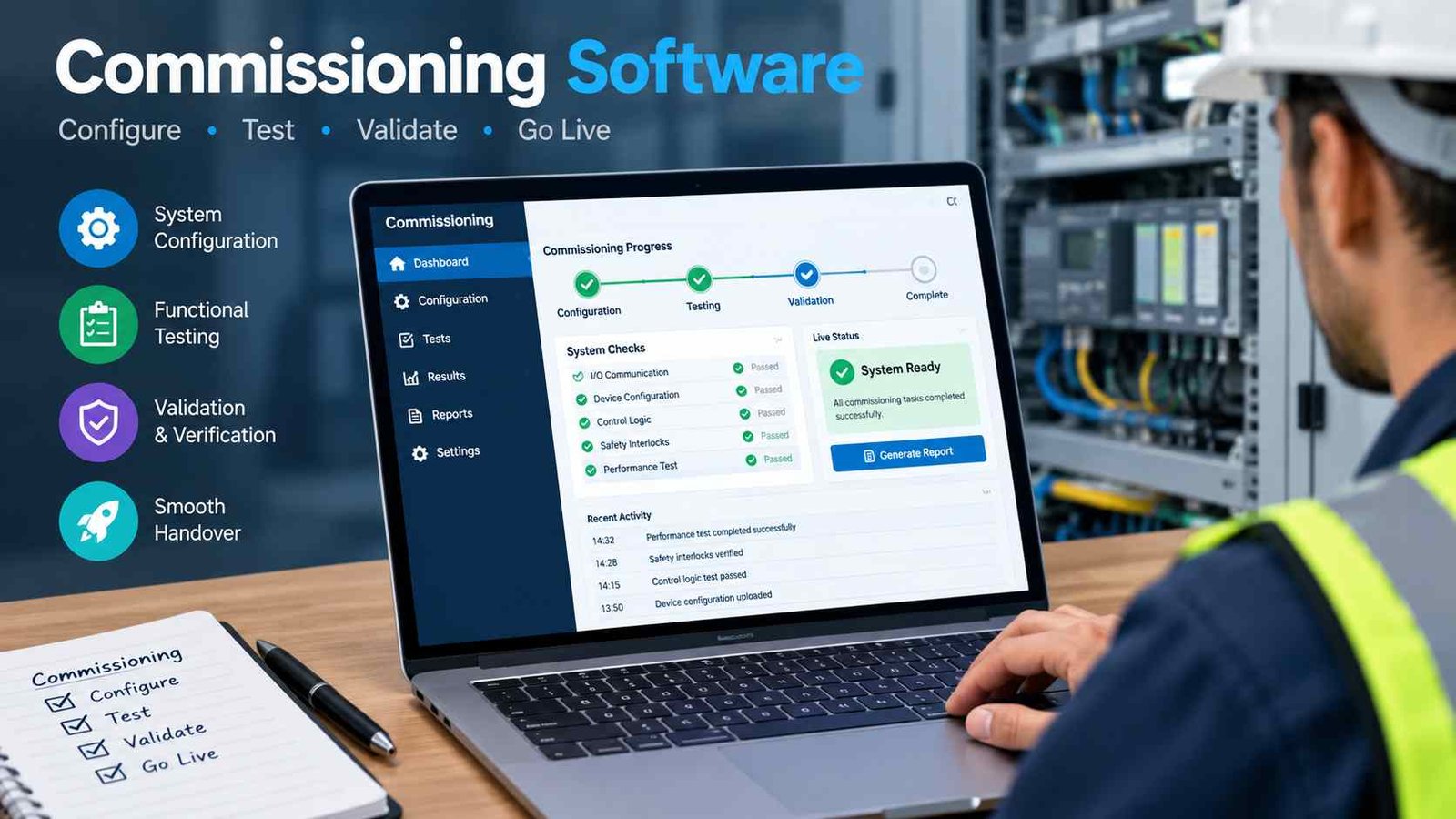
Commissioning software is a specialized project management tool designed to verify that building systems and industrial equipment are installed, tested, and operating according to design requirements. It provides structured workflows for inspections, functional performance testing, documentation, issue tracking, and final turnover.
Many people confuse commissioning management software with completion management software. Although they are closely related, they serve different purposes. Commissioning software focuses on verifying system performance and ensuring equipment functions correctly before occupancy or operation. Completion management software has a broader role, tracking construction completion, punch lists, and project closeout across large engineering projects.
The software supports every stage of verification by organizing equipment registers, assigning testing responsibilities, recording results, capturing photos, collecting digital signatures, and generating audit-ready reports. This creates a complete digital history for every asset.
Industries such as commercial construction, oil and gas, pharmaceuticals, healthcare, manufacturing, and infrastructure rely heavily on commissioning software because projects have become increasingly complex. As regulations and quality standards continue to rise, digital commissioning has become an essential part of delivering safe, efficient, and fully operational facilities.
How Commissioning Software Works?
Commissioning software follows a structured workflow that guides teams from the beginning of a project to final handover. The first step is creating the project and importing asset information such as equipment tags, drawings, and system data. This establishes a complete equipment register that becomes the foundation of the commissioning process.
Once assets are organized, managers assign commissioning tasks to engineers, inspectors, and subcontractors. Each task includes inspection forms, testing procedures, deadlines, and responsible team members. Field personnel complete inspections using mobile devices, even when working offline, and upload photos, measurements, signatures, and supporting documents.
During testing, the software tracks deficiencies and punch items automatically. Instead of sending emails, issues are assigned directly to the responsible contractor, allowing faster corrective action and better accountability. Progress dashboards show completion percentages, outstanding issues, and project milestones in real time.
After all systems pass functional testing, engineers approve the results and generate professional reports. The final stage is digital turnover, where operation manuals, certificates, warranties, maintenance documents, and test records are delivered to the building owner in one organized package. This streamlined workflow reduces delays and improves the quality of project closeout.
The Complete Commissioning Process Explained
Commissioning is much more than equipment testing. It is a quality assurance process that begins during design and continues until the facility is fully operational.
Design Phase Commissioning
During the design stage, commissioning teams review owner project requirements and ensure engineering designs meet performance goals. Planning checklists identify critical systems, testing requirements, and documentation standards before construction begins. Early coordination helps reduce expensive design changes later in the project.
Installation Verification
As equipment is installed, inspectors verify that every component matches approved drawings and manufacturer specifications. Quality control inspections confirm proper installation, while installation documentation creates a permanent record of completed work. This stage prevents hidden defects from reaching the testing phase.
Functional Performance Testing (FPT)
Functional Performance Testing verifies that systems operate correctly under real conditions. Engineers test HVAC equipment, electrical distribution, fire alarms, emergency systems, lighting controls, and building automation systems. Any failures are recorded, corrected, and retested until performance requirements are achieved.
Project Handover
The final phase includes client approvals, operation and maintenance documentation, training records, warranties, and digital turnover packages. By organizing all information in one platform, commissioning software makes the handover process faster, more accurate, and easier for facility owners to manage.
Key Features of Commissioning Software
The best commissioning software combines inspection, testing, documentation, and reporting into one connected platform. These features improve productivity while reducing manual administrative work.
Digital Inspection Checklists
Custom forms allow organizations to standardize inspections across every project. Teams complete consistent quality checks while reducing paperwork.
Equipment & Asset Management
Every asset receives a unique tag, hierarchy, and equipment record, making it easy to track thousands of systems throughout the project lifecycle.
Issue & Deficiency Tracking
Punch lists, corrective actions, and issue status updates are managed in real time, ensuring accountability and faster resolution.
Functional Testing Templates
Repeatable testing procedures help engineers perform standardized HVAC, electrical, plumbing, and control system verification efficiently.
Mobile Field App
Engineers can complete inspections on tablets or smartphones, capture photos, work offline, and synchronize data once connected.
Document Management
Drawings, manuals, certificates, warranties, and test reports remain securely organized in one searchable location.
Electronic Signatures
Digital approvals provide secure audit trails while eliminating printed paperwork and delayed client signoffs.
Dashboards & Progress Reporting
Live dashboards display completion percentages, milestones, overdue tasks, and overall commissioning progress for better decision-making.
Types of Commissioning Software
Different industries require different commissioning tools. Choosing the right type depends on project size, facility complexity, and operational requirements.
| Type | Best For |
| Building Commissioning Software | Commercial offices, schools, hospitals |
| Industrial Commissioning Software | Oil & gas, manufacturing, utilities |
| MEP Commissioning Software | Mechanical, electrical & plumbing systems |
| Completion Management Software | Large EPC and infrastructure projects |
| Continuous Commissioning Software | Existing facilities with ongoing optimization |
| Retro-Commissioning Software | Older buildings requiring performance improvements |
| Mobile Commissioning Software | Field engineers and site inspections |
While each category serves different needs, all aim to improve documentation, testing accuracy, and operational readiness.
Industries That Use Commissioning Software
Commissioning software is used across many industries because nearly every complex facility requires structured testing before operation. Commercial construction companies use it to verify HVAC, lighting, elevators, and life safety systems before occupants move into buildings.
Hospitals depend on commissioning software because patient safety requires reliable electrical systems, medical gases, emergency power, and climate control. Data centers use detailed functional testing to ensure uninterrupted cooling and power availability for critical servers.
Airports and transportation facilities rely on commissioning platforms to coordinate thousands of interconnected systems, including baggage handling, security equipment, lighting, and building automation. Manufacturing plants use digital commissioning to validate production equipment and reduce startup delays.
Oil and gas facilities require rigorous documentation, equipment verification, and regulatory compliance throughout commissioning. Pharmaceutical plants benefit from traceable testing records that support quality assurance and industry standards. Universities, laboratories, and government infrastructure projects also use commissioning software to manage complex facilities while maintaining accurate digital documentation for long-term maintenance.
Who Uses Commissioning Software?
Commissioning software supports collaboration between multiple professionals involved in construction and facility management. Commissioning agents coordinate testing procedures, review documentation, and oversee overall project quality. Mechanical and electrical engineers perform equipment inspections and validate system performance using standardized testing templates.
QA/QC managers monitor inspection quality, track deficiencies, and ensure corrective actions are completed before project closeout. Project managers use live dashboards to monitor progress, allocate resources, and identify potential delays. General contractors benefit from centralized communication because subcontractors receive assigned tasks directly within the platform.
Facility owners and operators gain access to complete digital turnover documentation, including operation manuals, maintenance schedules, warranties, and equipment histories. This information remains valuable long after construction is complete because maintenance teams can easily locate asset records and previous testing results.
By connecting every stakeholder in one digital environment, commissioning software improves transparency, accountability, and communication throughout the entire project lifecycle.
Benefits of Commissioning Software
The biggest advantage of commissioning software is improved project efficiency. Digital workflows eliminate repetitive paperwork, allowing engineers to spend more time completing inspections instead of preparing reports. Faster approvals also reduce delays during critical project milestones.
Another major benefit is reduced rework. Standardized inspection forms and functional testing procedures help identify installation problems early, preventing expensive corrections after occupancy. Better collaboration ensures contractors, consultants, and clients always work with the latest project information.
Documentation quality improves significantly because every photo, certificate, drawing, warranty, and test report is stored in one organized repository. This creates a complete audit trail that supports regulatory compliance and future maintenance activities.
Equipment reliability also increases because systems are thoroughly tested before operation. Building owners receive accurate turnover packages containing maintenance documentation and operational records, making facility management much easier. Over the long term, properly commissioned buildings often experience fewer operational issues, lower maintenance costs, and improved energy performance, making commissioning software a valuable investment rather than simply a documentation tool.
Commissioning Software vs Traditional Manual Commissioning
Digital commissioning offers significant advantages over paper-based processes by improving speed, accuracy, and collaboration.
| Manual Process | Commissioning Software |
| Paper checklists | Digital inspection forms |
| Email communication | Centralized collaboration |
| Manual reports | Automated reporting |
| Spreadsheet tracking | Live dashboards |
| Lost documents | Secure cloud storage |
| Slow approvals | Electronic signatures |
Organizations moving from manual methods often experience better visibility, fewer documentation errors, and a smoother project handover process.
Essential Integrations to Look For
Modern commissioning software delivers the greatest value when it connects with other construction and facility management platforms. BIM integration allows engineers to link inspections directly to 3D building models, improving visualization and asset identification. Popular BIM tools include Revit and Navisworks, which help teams coordinate complex building systems.
Integration with Autodesk Construction Cloud and Procore enables seamless sharing of project documents, drawings, RFIs, and construction progress between teams. This reduces duplicate data entry and improves collaboration across contractors and consultants.
Building Management Systems (BMS) provide operational data that supports system verification during functional testing. CMMS platforms receive finalized asset information after handover, allowing maintenance teams to begin preventive maintenance immediately. ERP systems connect project costs, procurement, and resource planning, while IoT sensors provide real-time equipment performance for continuous commissioning. Selecting software with flexible integrations ensures your commissioning workflow remains connected throughout the entire building lifecycle.
Best Commissioning Software Solutions
Several well-known platforms serve different commissioning needs. Rather than identifying a single best option, it’s more useful to match software with your project type.
| Software | Best For |
| Best Commissioning Software in 2026: 8 Options Compared | Building commissioning specialists |
| Best Commissioning Management Software: What Actually Makes Life Easier on Projects | Commissioning service providers |
| How to Choose Commissioning Software (2026): Buyer’s Guide, Comparison & Checklist | BIM-based construction projects |
| Best Commissioning Software | 2026 Verified Rankings | Large construction teams |
| Top 10 Best Building Commissioning Software | Top Picks 2026 | Mobile field inspections |
| Best Commissioning Software | 2026 Rankings | Deficiency and issue management |
| Top 10 Best Commissioning Software | Top Picks 2026 | Site coordination and task management |
Each platform offers different strengths, including mobile inspections, document management, testing workflows, dashboards, and project collaboration.
How to Choose the Right Commissioning Software?
Selecting the right commissioning software begins with understanding your project size and operational needs. Small construction companies often need affordable platforms with essential inspection, reporting, and mobile features. Mid-sized organizations usually benefit from customizable workflows and stronger collaboration tools, while enterprise projects require advanced asset management, integrations, and scalable reporting.
Industry requirements also matter. Commercial buildings focus heavily on HVAC, lighting, and life safety systems, while industrial projects require complex equipment verification and stricter documentation. Mobile capability is another critical consideration because field engineers must complete inspections from tablets or smartphones without losing productivity.
Offline access ensures work continues even in remote construction locations with limited internet connectivity. Reporting and analytics help managers monitor completion percentages, overdue tasks, and quality trends. Finally, evaluate integration capabilities with BIM, CMMS, ERP, and construction management platforms to avoid isolated data systems. Choosing software that matches your workflow—not simply the longest feature list—will deliver better long-term value and easier adoption across project teams.
Common Challenges and How Software Solves Them
Construction projects often struggle with scattered documentation, communication delays, and incomplete testing records. Commissioning software addresses these challenges through automation and centralized project management.
| Challenge | Software Solution |
| Missing documentation | Central digital repository |
| Delayed approvals | Digital workflows and signatures |
| Duplicate inspections | Standardized automated tracking |
| Poor communication | Shared dashboards and task assignment |
| Lost punch items | Real-time issue management |
| Manual reporting | One-click report generation |
By replacing disconnected spreadsheets and emails, commissioning software improves accountability and keeps every stakeholder working from the same project information.
Best Practices for Successful Commissioning
Successful commissioning depends on consistent processes rather than software alone. Start by creating standardized inspection templates so every engineer follows the same testing procedures across projects. Establish clear asset naming conventions because organized equipment tags make documentation much easier to manage throughout the facility lifecycle.
Mobile inspections should become the standard workflow, allowing field teams to capture photos, notes, and signatures immediately instead of transferring information later. Project managers should review dashboards daily to monitor outstanding deficiencies and prevent small issues from delaying project completion.
Keeping drawings, manuals, certificates, and warranties in one structured repository improves handover quality and simplifies future maintenance. Regular training ensures all team members understand digital workflows and reporting standards. Finally, maintain audit-ready records for every inspection, approval, and corrective action so compliance documentation is always available when clients or regulators request it.
Future Trends in Commissioning Software
The future of commissioning software is moving toward smarter, data-driven project management. Artificial intelligence is beginning to assist engineers by identifying incomplete inspections, detecting documentation errors, and recommending corrective actions before final approval.
Digital twins are becoming increasingly important because they connect commissioning records with virtual building models, providing a complete digital representation of facility assets. IoT-enabled monitoring allows continuous commissioning by collecting live equipment data after occupancy, helping facility managers identify performance issues early.
Cloud collaboration continues to improve communication between owners, contractors, consultants, and maintenance teams regardless of location. Automated compliance reporting reduces administrative work by generating standardized documentation for regulatory requirements. As smart buildings become more common, commissioning software will play an even greater role in connecting design, construction, operations, and long-term facility performance within one integrated digital environment.
Frequently Asked Questions
1. What is the main purpose of commissioning software?
Commissioning software helps teams verify that building systems and equipment are installed, tested, documented, and operating according to project requirements before handover.
2. Can small construction companies use commissioning software?
Yes. Many commissioning platforms offer scalable solutions suitable for small contractors, allowing them to manage inspections, reports, and documentation without complex enterprise systems.
3. Is commissioning software different from project management software?
Yes. Project management software focuses on schedules, budgets, and resources, while commissioning software specializes in inspections, functional testing, issue tracking, and project turnover.
4. Does commissioning software support offline field work?
Most modern platforms allow engineers to complete inspections offline using tablets or smartphones, then synchronize data once an internet connection is available.
5. Why is digital project handover important?
Digital handover provides owners with organized manuals, warranties, certificates, maintenance records, and testing documents, making future facility management much easier and more reliable.
Conclusion
Commissioning software has become the industry standard for delivering high-quality construction and industrial projects. It replaces manual paperwork with organized digital workflows that improve inspections, testing, documentation, and collaboration from design through project handover.
Whether you’re managing a commercial building, hospital, manufacturing plant, or infrastructure project, the right commissioning software helps reduce rework, improve compliance, and create reliable turnover documentation. By choosing a platform that fits your project size, industry requirements, and integration needs, organizations can deliver safer, more efficient facilities while supporting long-term operational success.